
BackEngine
Product design / Frontend engineeringCustomer intelligence.
Built for the next decision.
Customer conversations carry the reasons behind a lost deal, a renewal risk, or a new opportunity. We designed and built BackEngine’s frontend to help teams find those signals, verify the evidence, and decide what to do next.
- Product
- AI customer intelligence
- Our scope
- Product UI & full frontend implementation
- Explore
- Visit BackEngine ↗
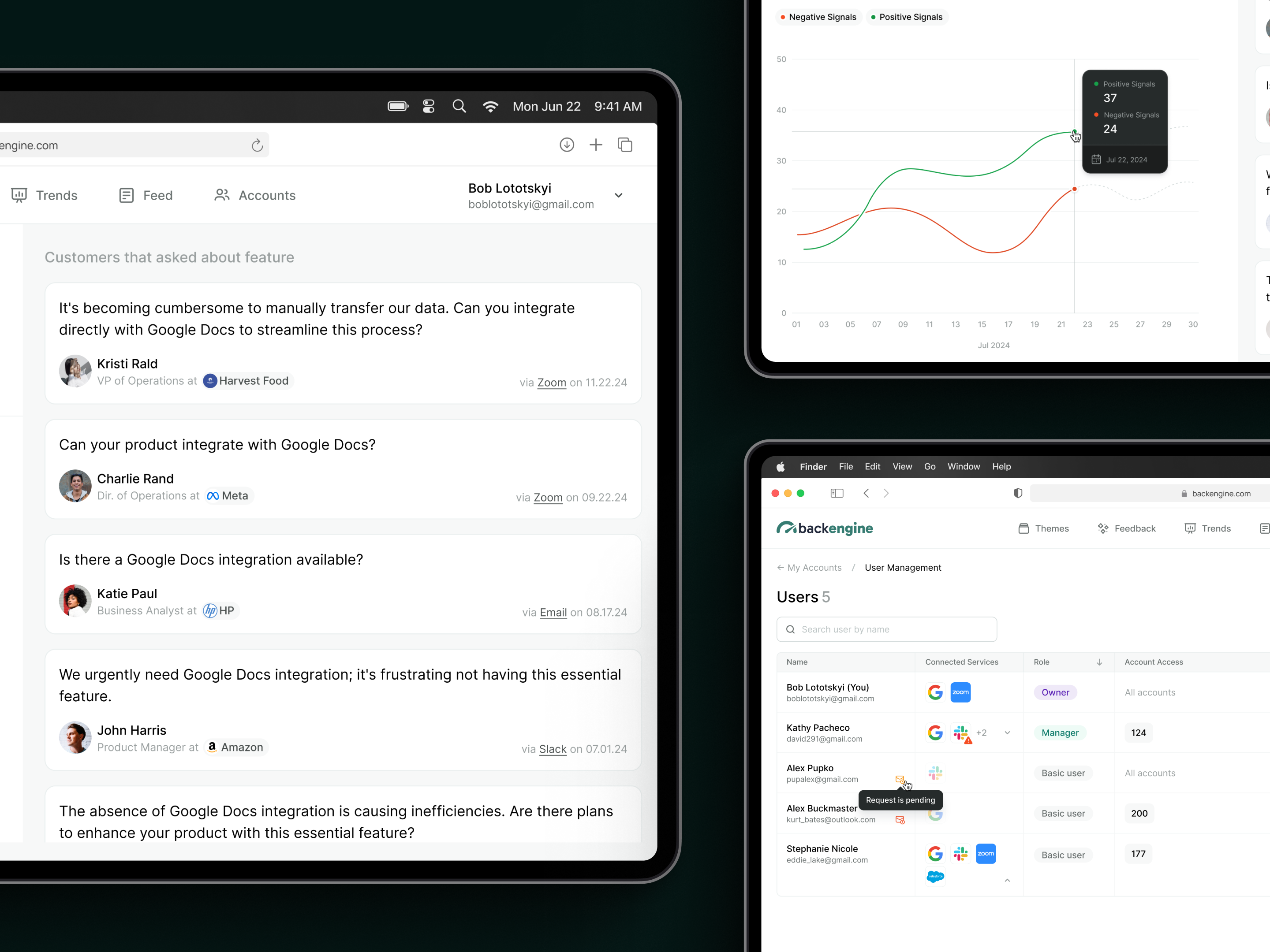
The design challenge
An AI insight is only useful
if someone trusts it enough to act.
Calls, emails, and messages accumulate faster than a customer‑facing team can review them. A summary can reduce that volume, but it also creates a new question: why should someone believe it? Our task was to make the path from conversation to conclusion visible without overwhelming the person doing the work.
We built the experience around a shared unit: the signal. Each signal carries its source, customer, meaning, and ownership. The same evidence then supports daily triage, account reviews, trend analysis, and reports. Moving to a bigger picture should preserve the ability to return to the details.
01 / Make the next action clear
Enough context to judge.
Enough structure to follow through.
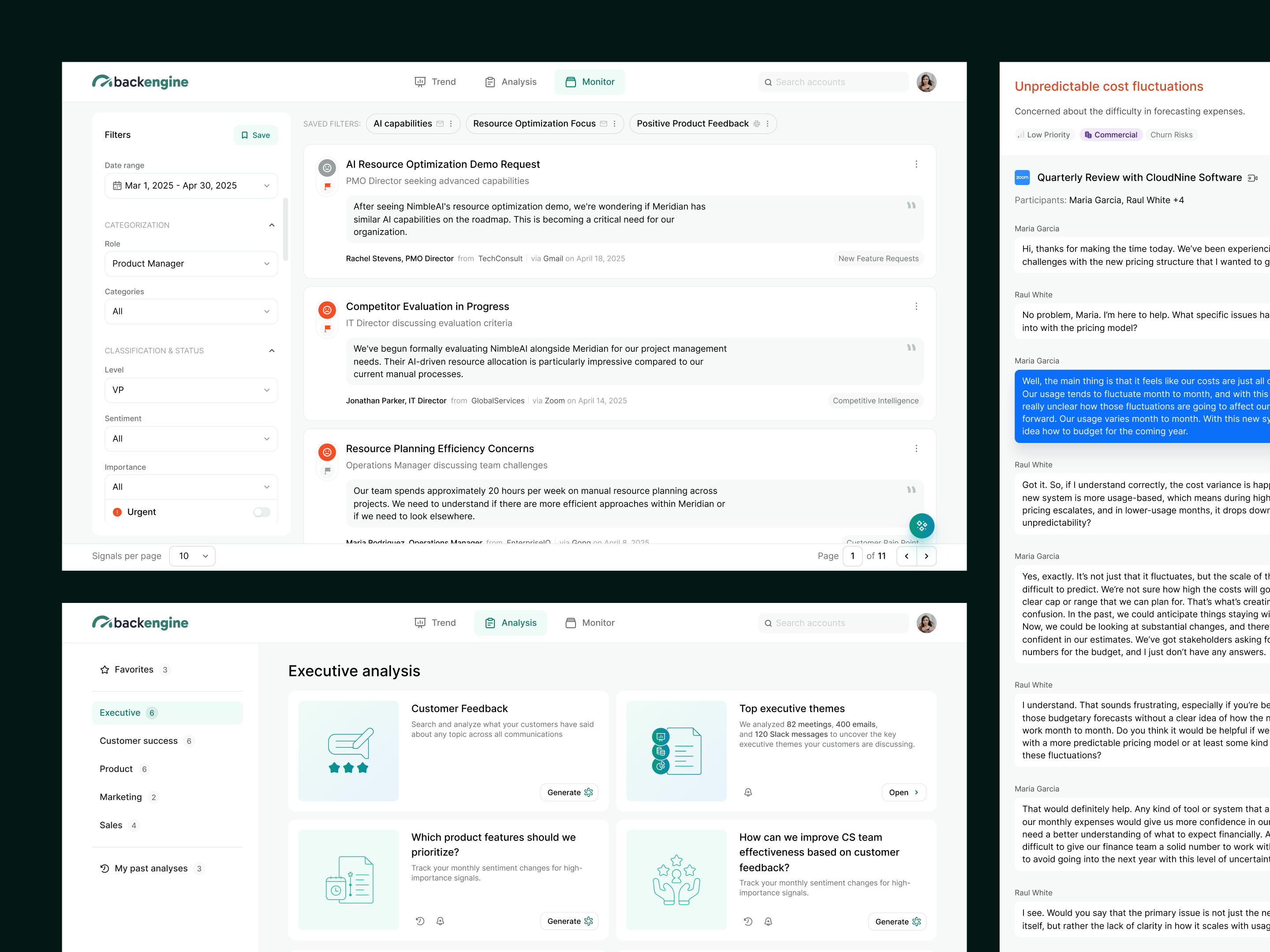
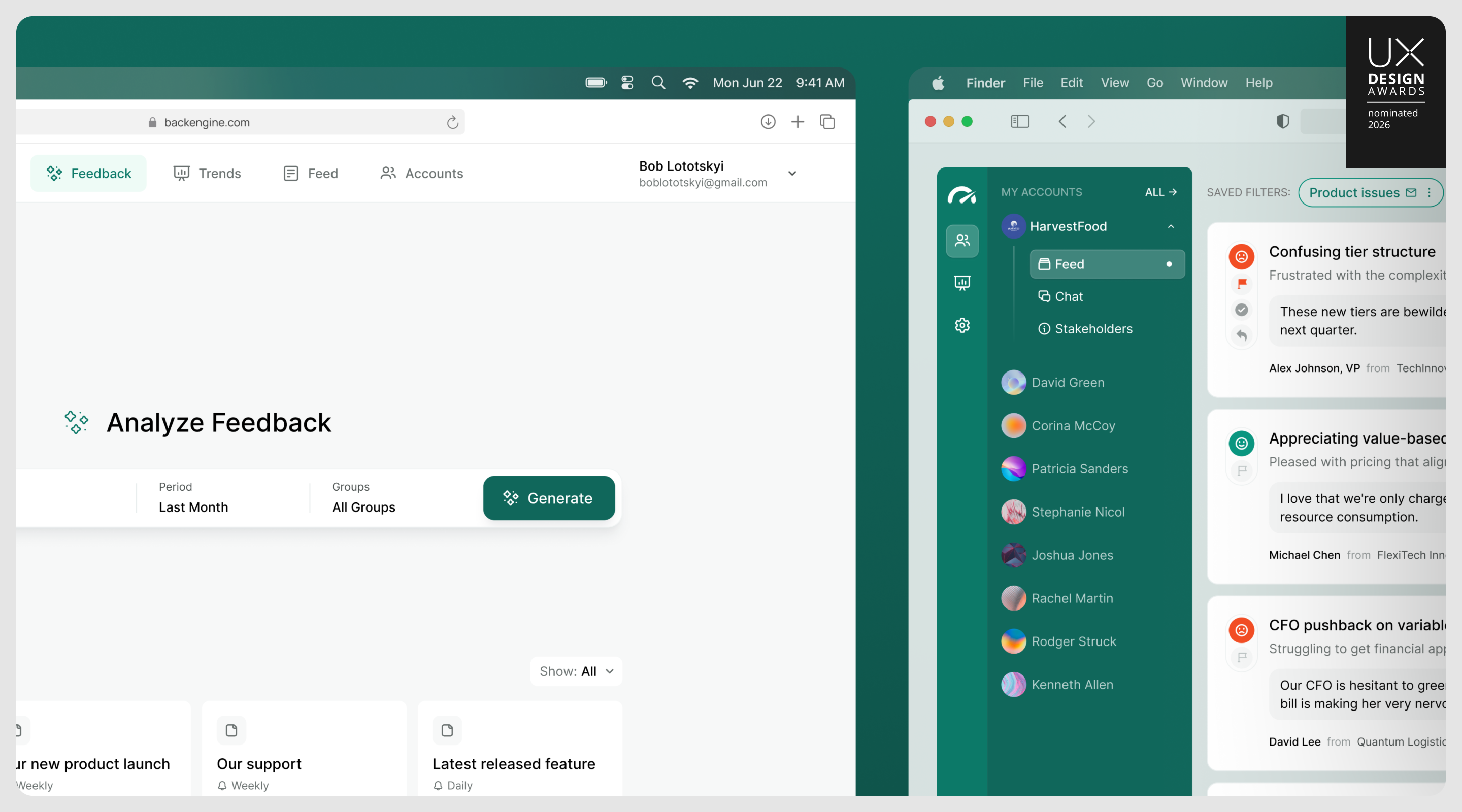
The signal card was a design problem of its own. We iterated on how much to show before a user opens the detail: a concise summary, sentiment, importance, a source quote, and attribution. The detail opens over the feed, keeping the triage context in place while highlighted passages expose the evidence. Assignment, response, and resolution belong to the signal itself. Saved filters and “Assigned to me” turn the same feed into a personal work queue; creating a Ticket or Situation carries the evidence into the next step.
02 / Start with the job, then offer the controls
Different roles.
A shared understanding of the customer.
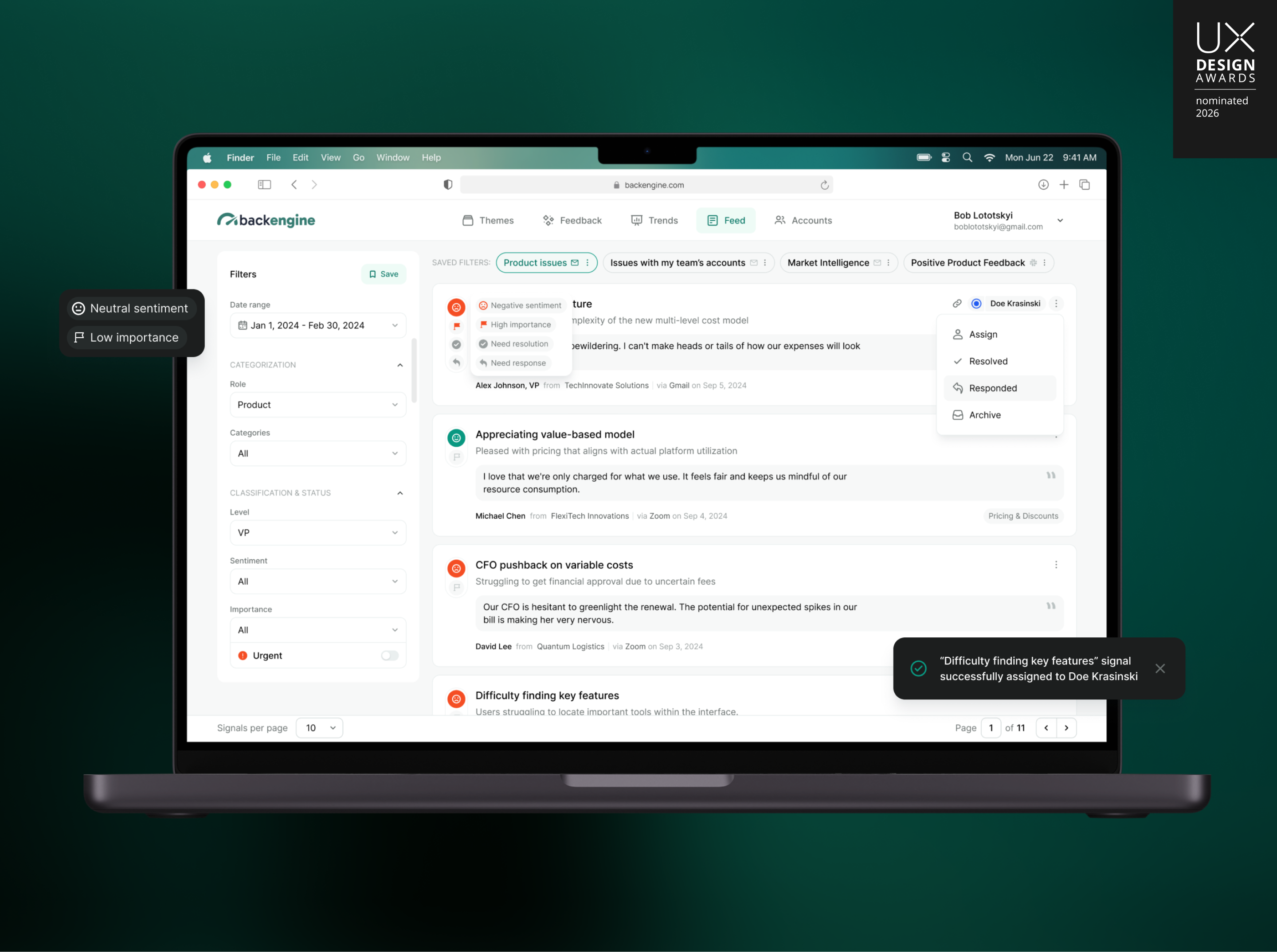
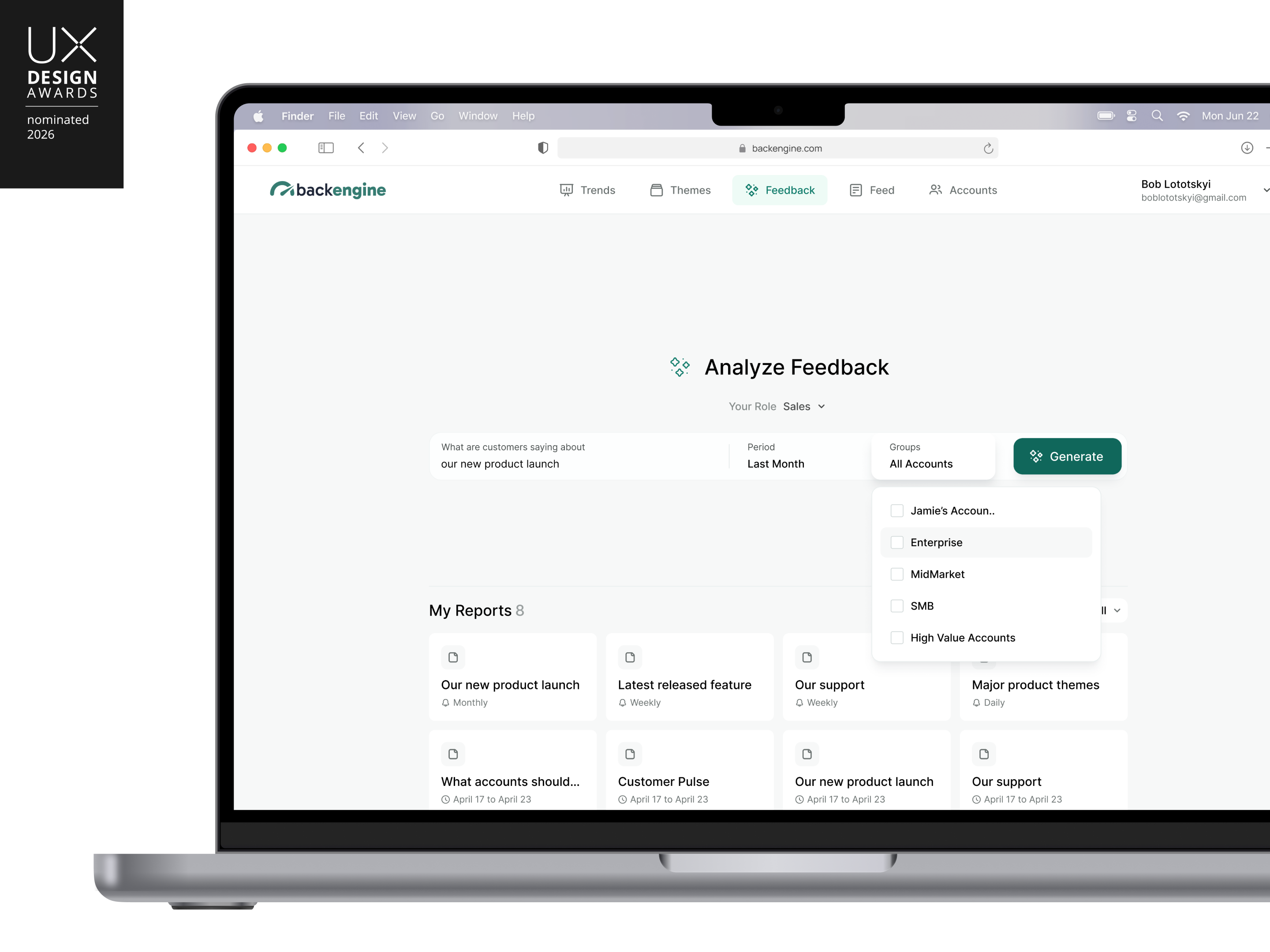
An account manager needs to know what needs attention today. A product leader needs to see which problems keep recurring. We designed role‑specific views over the same signals and organized chart presets around Product, Support, Commercial, and Market questions. Users can start with a relevant question instead of constructing an analysis from a blank screen. The shared data model keeps operational detail and strategic analysis connected.
03 / Let a useful starting point become a precise tool
Make the comparison
visible as it takes shape.
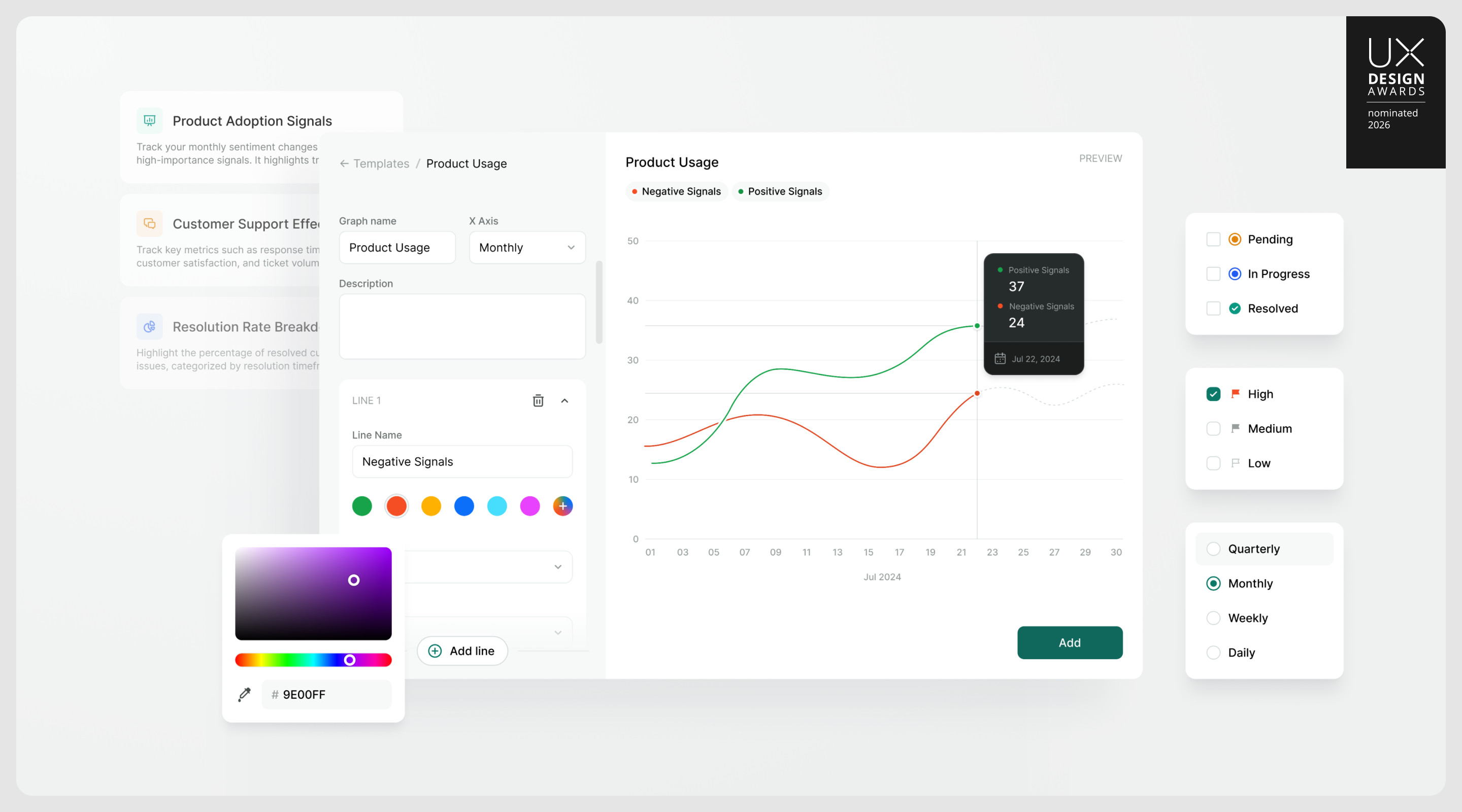
A preset is a starting point, not the limit of the workflow. Each chart line has its own filters, so a user can compare customer groups, sentiment, or signal categories in one view. We kept a live preview beside the controls: users can see what their choices produce before adding the chart. Wide and square formats make dashboard composition a simple choice, while each person’s layout stays independent of their teammates’ views.
04 / Carry trust into every level of analysis
A bigger conclusion still needs
a route back to the source.
We extended traceability from individual cards to AI‑generated reports. Each report conclusion can open the signals behind it, while a source‑volume summary makes the scope of the analysis visible. Free‑form questions support exploration; curated reports package expert prompts for more specific decisions and expose those prompts before generation. Both use the same evidence and version‑history model. Users can investigate a new question without learning a different way to verify the answer.
05 / Preserve context when the question gets specific
Prepare for the account.
Keep the evidence close.
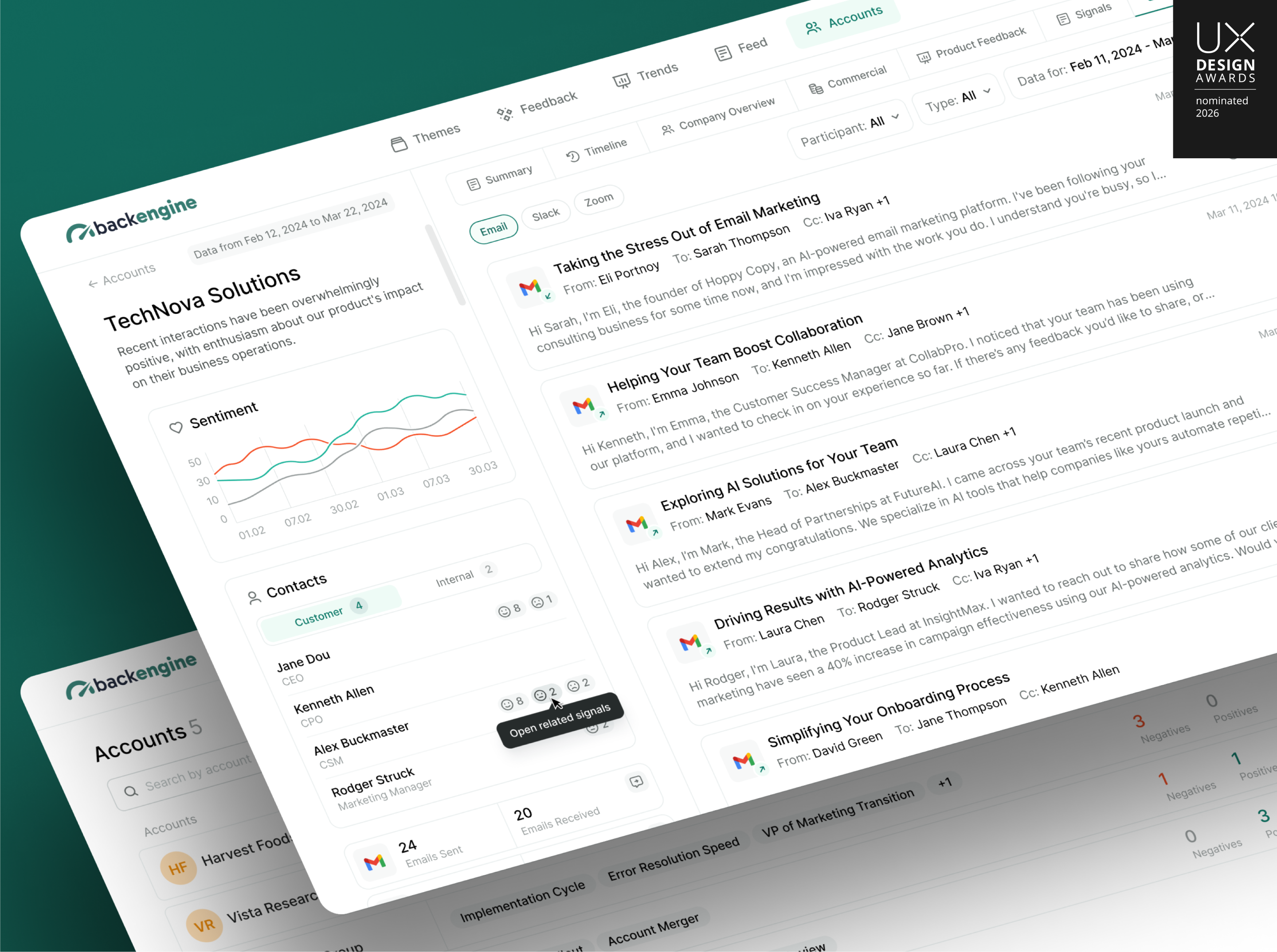
A renewal conversation demands a customer‑level view. We brought sentiment, revenue, renewal timing, contacts, and communication history into one account workspace. A user can move from the overview into messages and the signals derived from them, or open a filtered view in the global feed. That connection works in both directions: start with a risk and inspect its source, or start with a conversation and see what it revealed.
06 / Design for where the work happens
The insight should reach
the people who need it.
Useful intelligence cannot depend on everyone remembering to open a dashboard. We designed recurring email and Slack subscriptions for signals, charts, themes, and reports. Content is re‑evaluated against current data at each run, with recipients and cadence configured for each channel. Together with ownership and workitems, this closes the interaction loop: discover an issue, understand it, give it an owner, and keep the relevant people informed.
07 / Business outcome
A complex AI product,
delivered as a usable experience.
We carried the work from product UI through the entire frontend implementation. In his August 2025 review, CEO Eli Portnoy reported strong positive feedback on the product’s design, elegance, and usability, alongside clear timelines and on‑time delivery. Having worked with Minimal at a previous company, he chose the team again for BackEngine.
- Full frontend
- Designed and implemented by Minimal
- Repeat partnership
- A returning founder, from an earlier company to BackEngine
- UX Design Awards
- 2026 nominee
The customer‑intelligence experience shown here was nominated for the UX Design Awards in 2026. BackEngine has since evolved into a secure context layer that brings customer knowledge into tools such as Claude and ChatGPT. This case documents the application we designed and built: an experience that made AI findings inspectable, connected them to team workflows, and earned the client’s confidence in both the product and the partnership.
Explore BackEngine today ↗From implementation to product feedback — in Eli’s words
“They’ve fully designed and implemented all of the frontend.”
“Minimal Studio has delivered an elegant, beautiful solution for us. The product gets a lot of strong positive feedback, and we’ve received lots of feedback on the design, elegance, and usability of the product.”

Founder & CEO, BackEngine