
EchoZero
Product design / AI trading agentsDelegate the execution.
Keep control of the strategy.
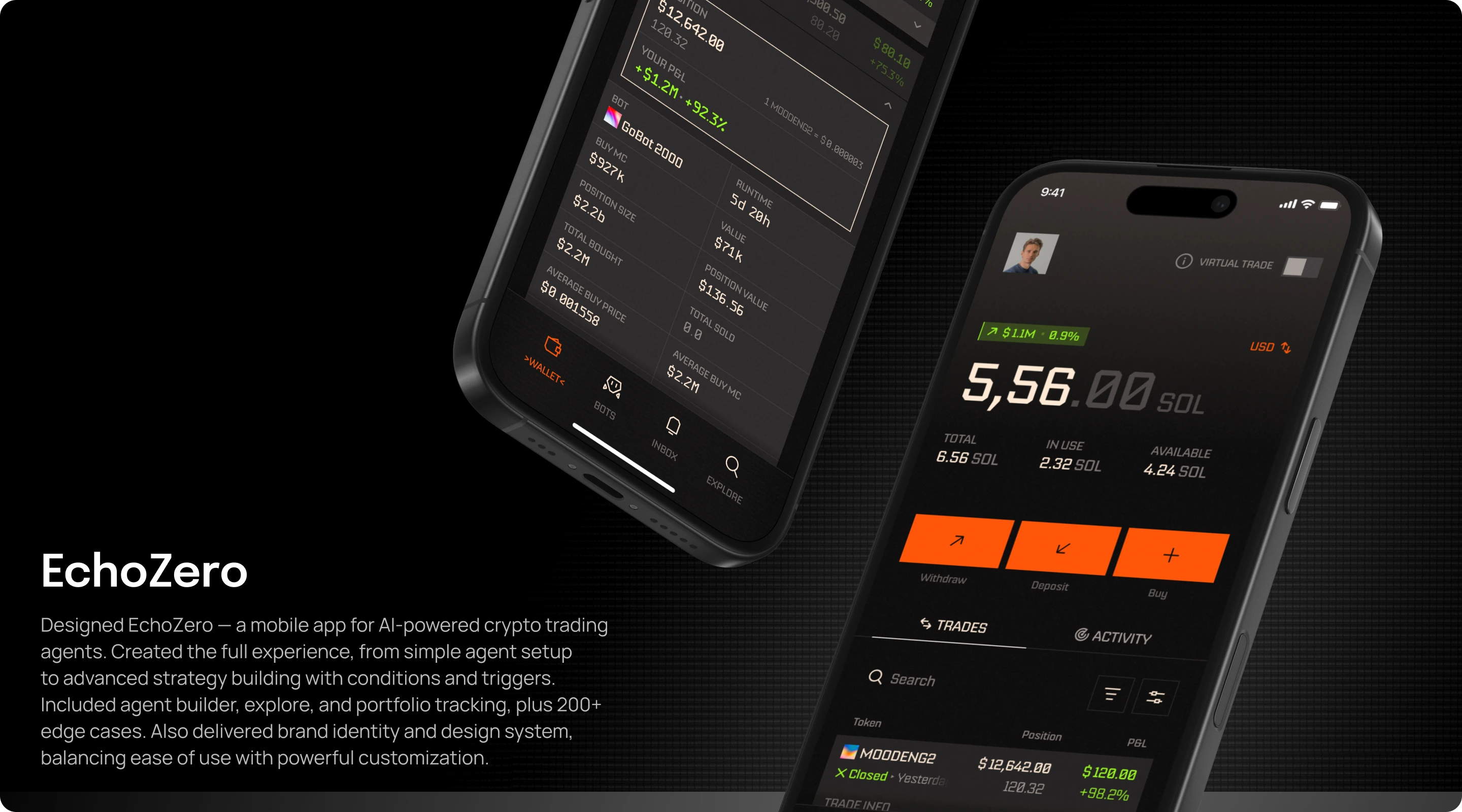
EchoZero lets people create AI trading agents, define their strategies, and decide how those strategies run. We designed the mobile experience around the relationship between an agent, its rules, the money it can use, and the person who remains in control.
- Product
- AI trading agents
- Built for
- Traders and strategy creators
- Scope
- Product architecture, flows & mobile UI
The design challenge
An agent needs more
than a chat window.
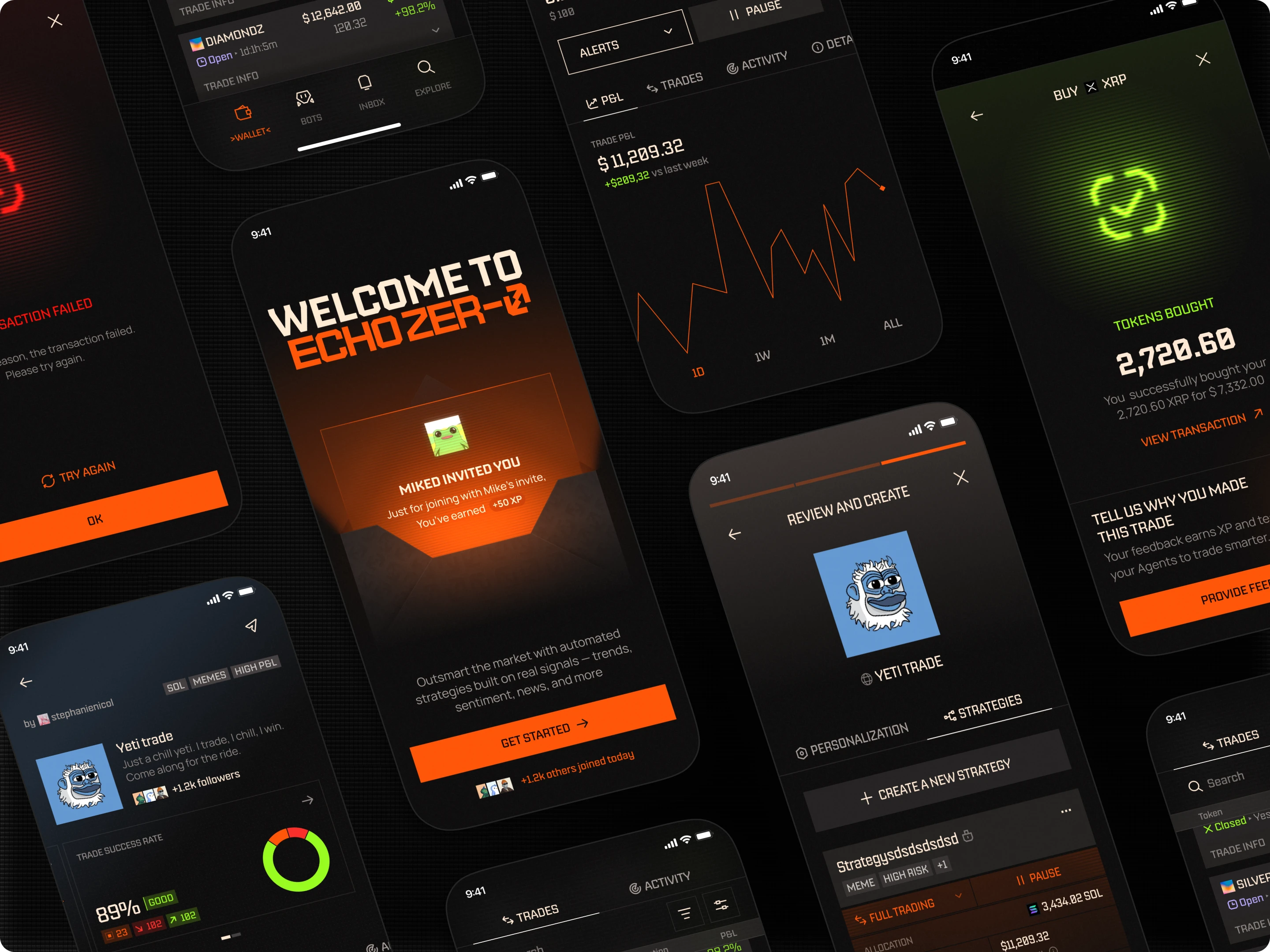
A trading agent can have a personality, several strategies, a public profile, and access to allocated funds. Those layers need distinct controls. Changing an agent’s identity should not be confused with changing its trading rules or the way a strategy executes.
We separated the agent from its strategies while keeping their relationship visible. People can discover agents, inspect their activity, create their own rules, and decide which actions require approval. Chat sits within that structure rather than replacing it.
01 / Defining the strategy
Turn an intention
into rules people can inspect.
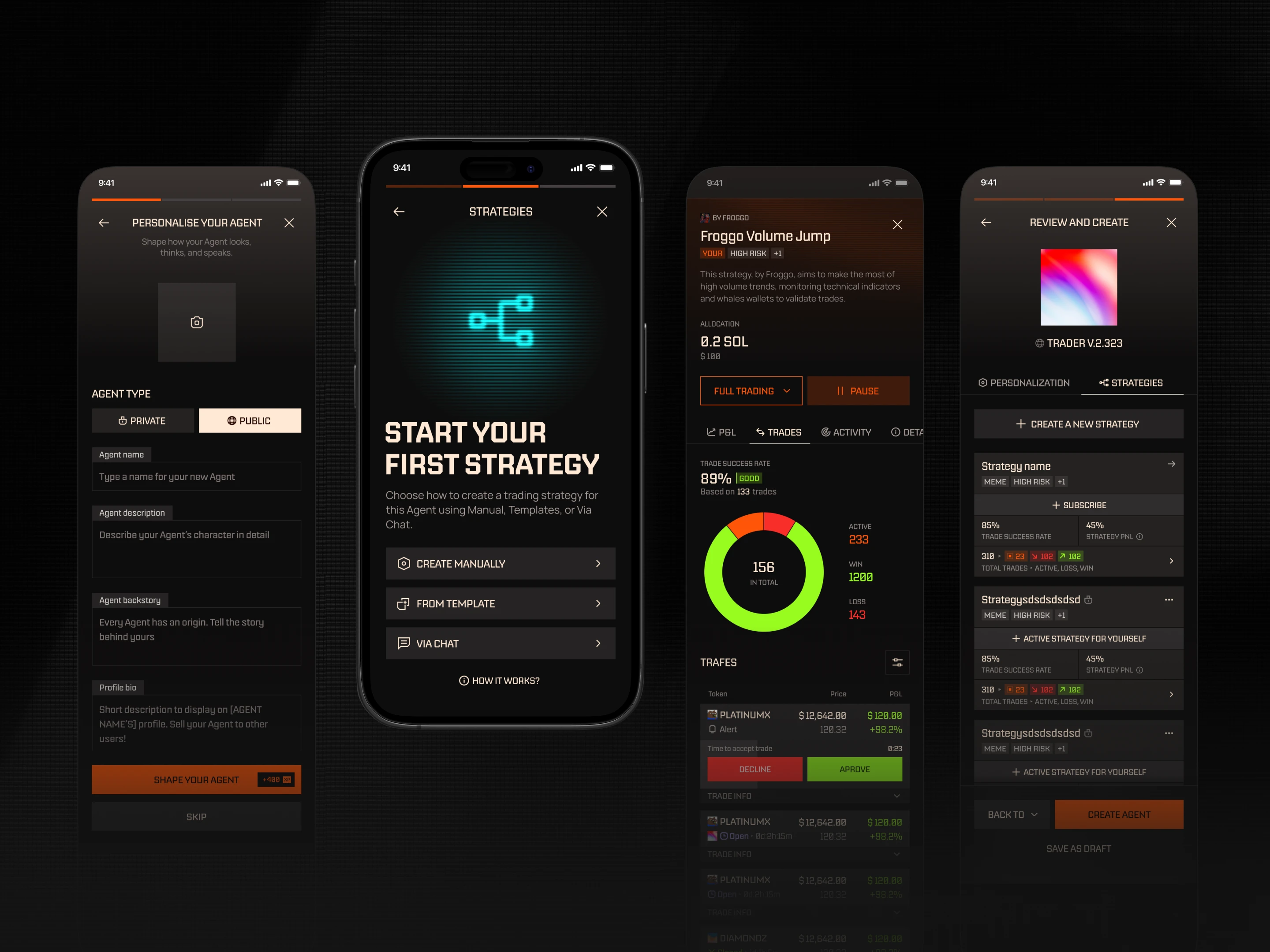
Strategies can start manually, from a template, or through a conversation. The resulting logic combines conditions and actions, including price, volume, market, and social signals.
We designed a structured rule builder around grouped conditions and explicit relationships such as when, if, and then. Review brings the agent and its strategy together before activation. People can inspect what the system is being asked to do instead of relying on a conversational summary alone.
02 / Execution and approval
Make the level
of delegation explicit.
Full Trade, Test Trade, and Alerts represent different relationships with the system. Full Trade executes with real funds. Test Trade uses virtual funds. Alerts asks for approval before execution.
The interface distinguishes test trading visually as well as by name, shifting the app’s accent from orange to pink. Strategy controls support pausing and editing, while a stop‑all action gives people a direct way to interrupt execution across their strategies.
03 / Capital and activity
Show what the agent is doing.
Show what the money is doing.
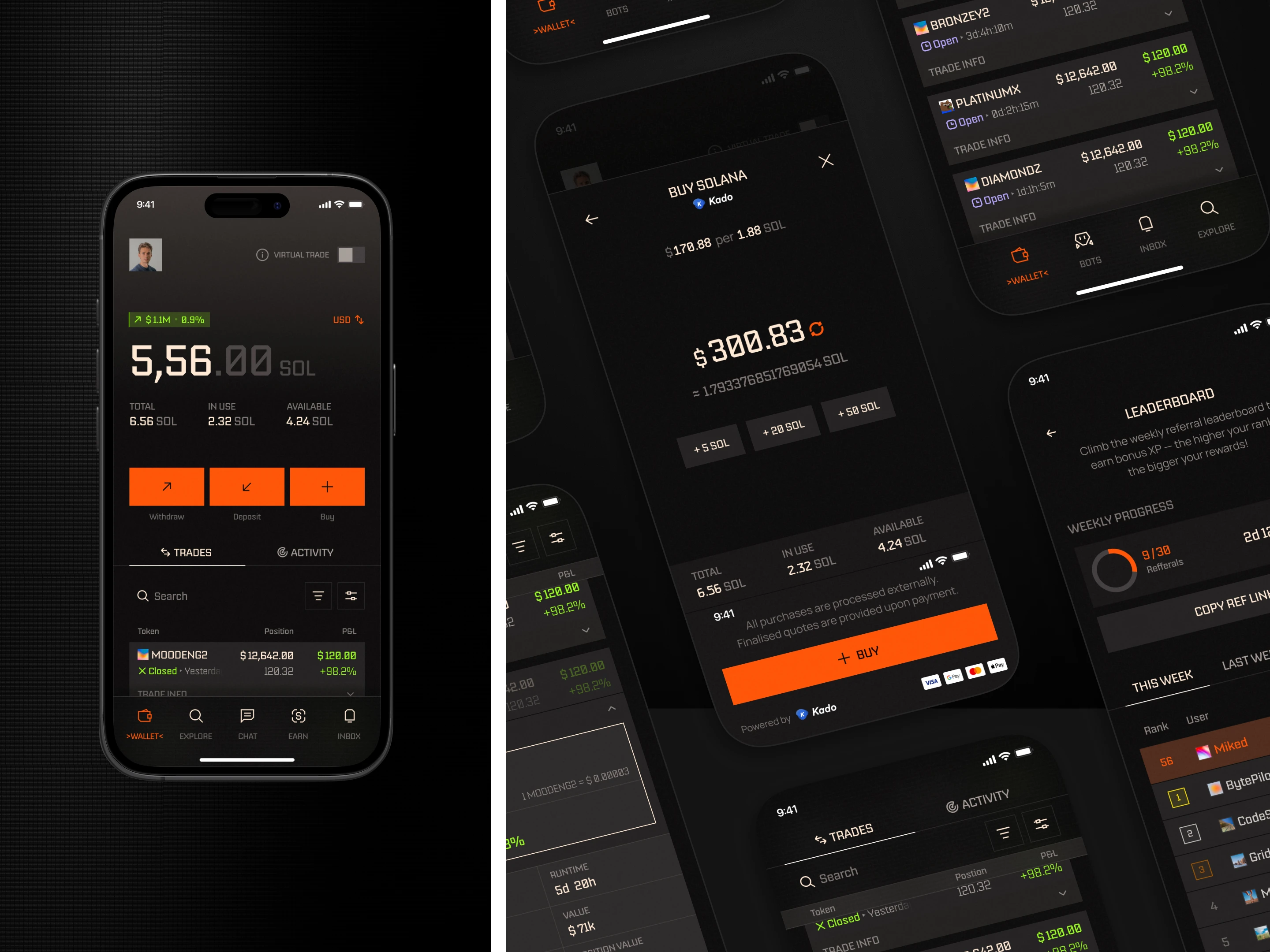
A wallet total alone does not explain which funds are committed. We separated total, in‑use, and available balances so people can distinguish their overall position from the funds available for another action.
Portfolio and strategy views connect balances with activity, history, and performance. Agent profiles add the context needed to inspect a strategy before using it. The design keeps discovery and execution connected to information people can review.
04 / Conversation in context
Talk to the agent.
Stay connected to the product.
People can ask questions, move into an agent‑specific conversation, or start building a strategy through chat. The selected agent and its context remain part of that interaction, so switching conversations does not mean losing track of who is being asked to act.
Explore, chat, earnings, and inbox views support different reasons to return. Together they connect strategy discovery, ongoing questions, creator activity, and updates from the system.

Design outcome
A trading workspace
with AI inside its operating model.
The design connects agent creation, structured strategy building, execution modes, capital allocation, and ongoing monitoring. It gives people a consistent way to configure automation, review its behavior, and intervene when needed.
- Define
- Agents and inspectable strategy rules
- Delegate
- Live, test, or approval‑based execution
- Control
- Balances, activity, pause, and stop