
Gildage
Product design / Family careEveryday independence.
A family connection when it matters.
An older parent wants to handle daily life on their own. Their family wants to know when help is needed. We designed Gildage’s mobile experience around both needs: practical support for parents, useful context for their children, and a shared way to stay connected.
- Product
- AI‑assisted family care
- Built for
- Older adults and their families
- Scope
- Research, product flows & mobile UI
Research & product direction
Support that respects
independence.
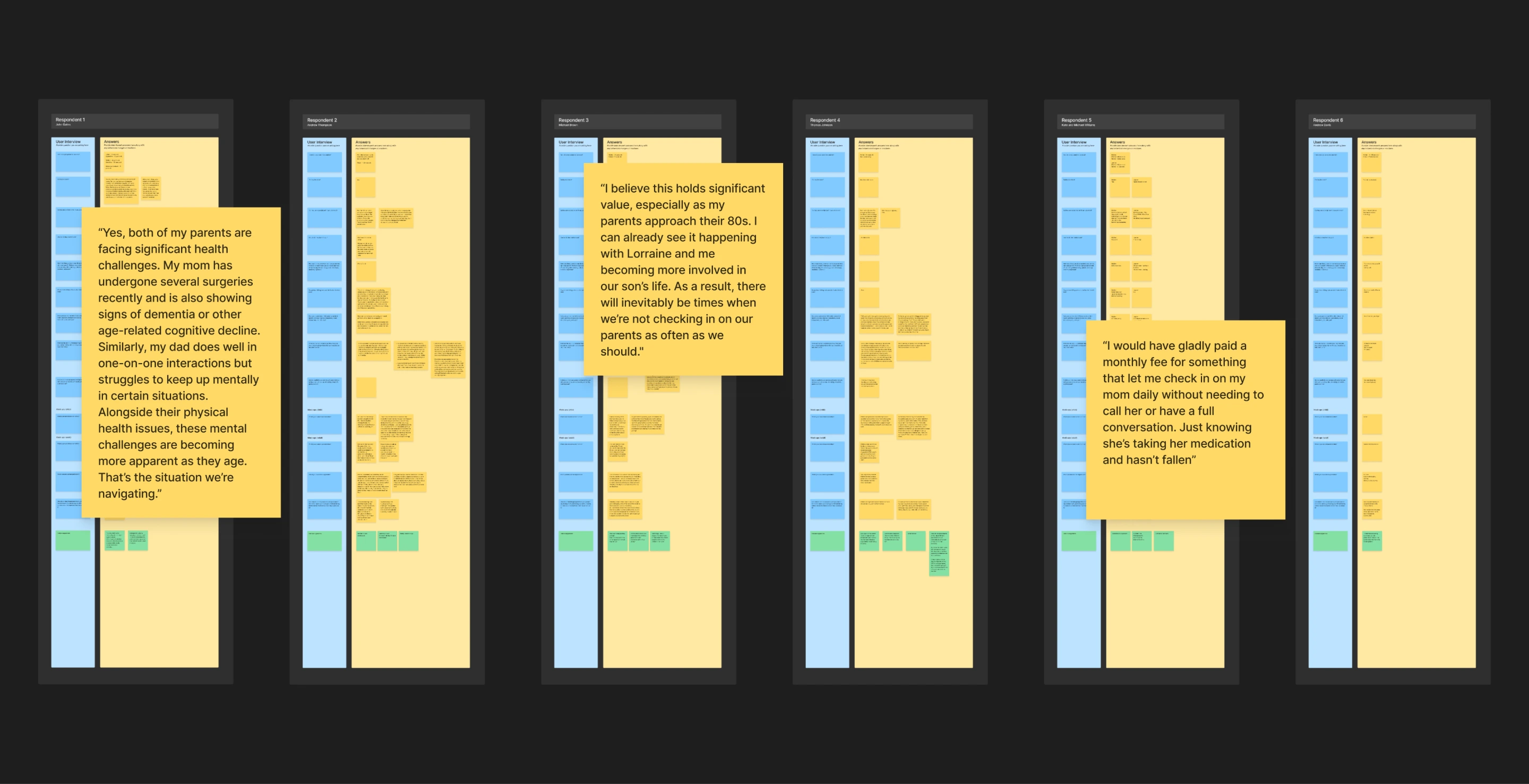
Interviews explored what parents wanted help with, how they used technology, and which updates they were comfortable sharing with their children. Independence and family involvement did not always mean the same thing to both sides.
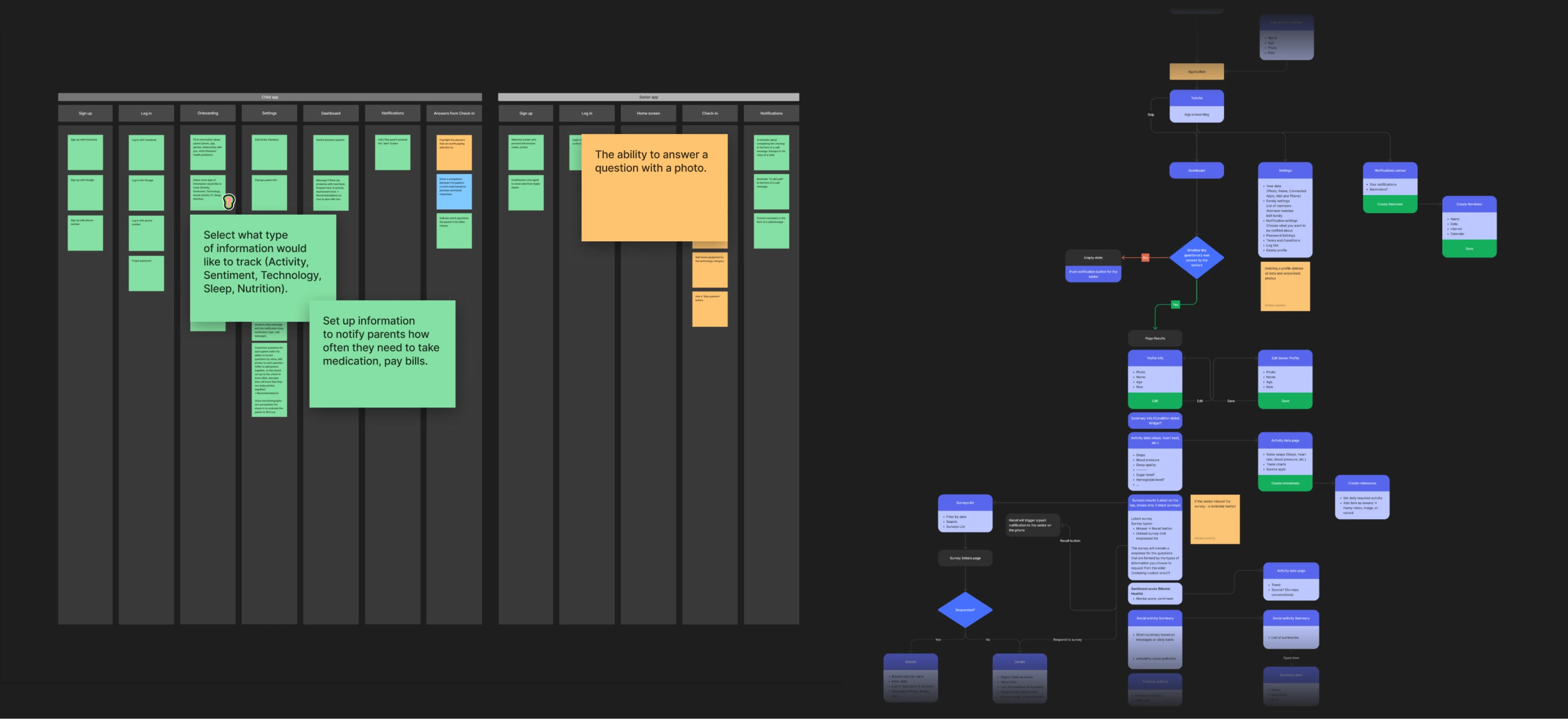
We grouped the findings into needs and design challenges, then mapped the journey and prioritized the product flows. These artifacts gave the team a concrete basis for decisions about guidance, check‑ins, and family communication.
The design challenge
Two people.
Different reasons to open the app.
For a parent, the immediate need might be fixing a phone setting, checking in, or asking a question without calling someone. For an adult child, it might be seeing how their parent has been feeling or picking up a problem the assistant could not resolve.
We treated these as two connected experiences, not one interface with different permissions. The parent’s app focuses on everyday actions. The child’s app brings together updates, conversations, and requests for help. Both connect to the same family record.
01 / Connecting the family
Set up the relationship.
Then make the next step clear.
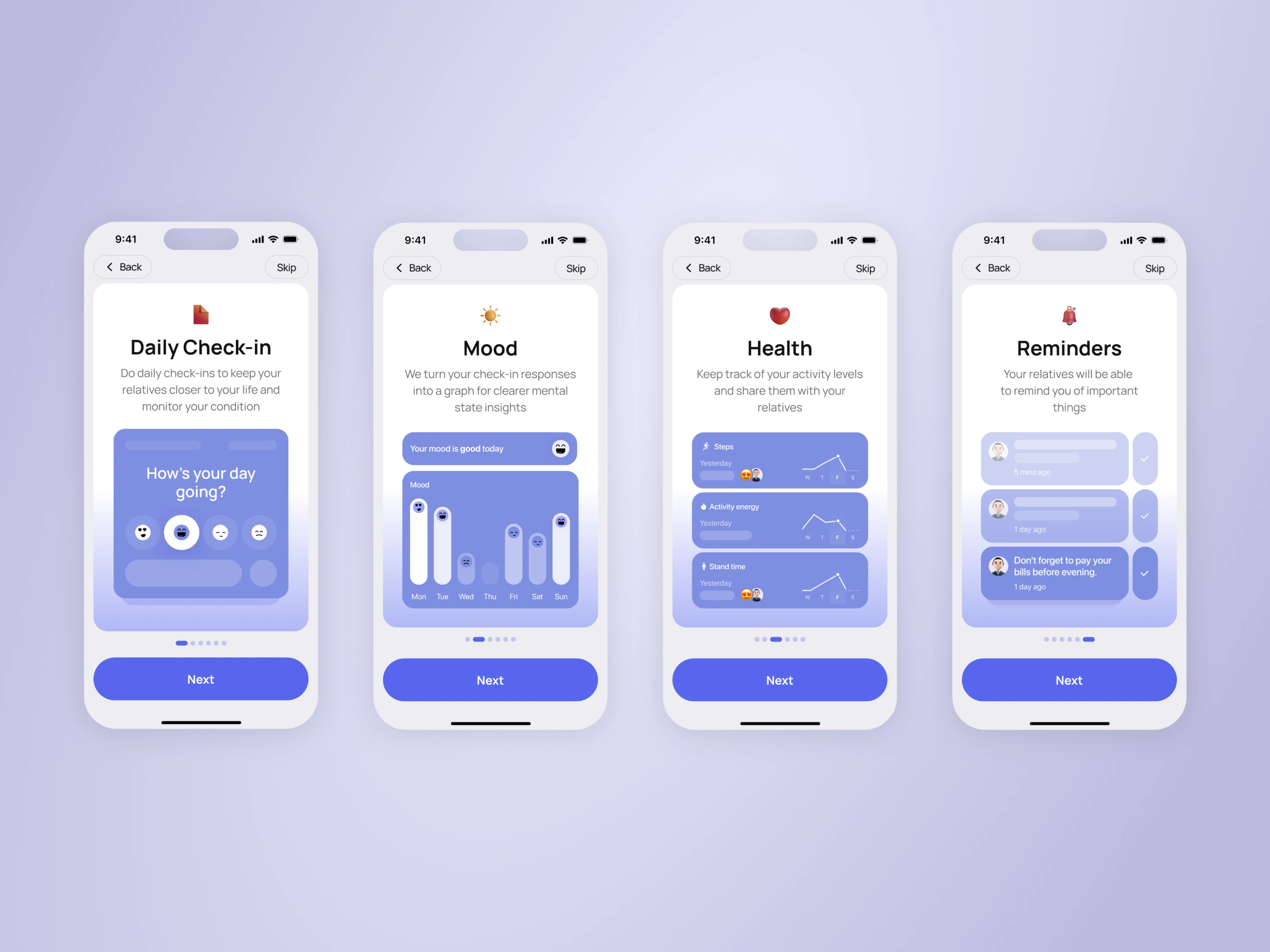
The family connection begins with an invitation. The child creates a family profile and adds context about their parent. The parent joins, reviews their details, and completes the connection through an approval step.
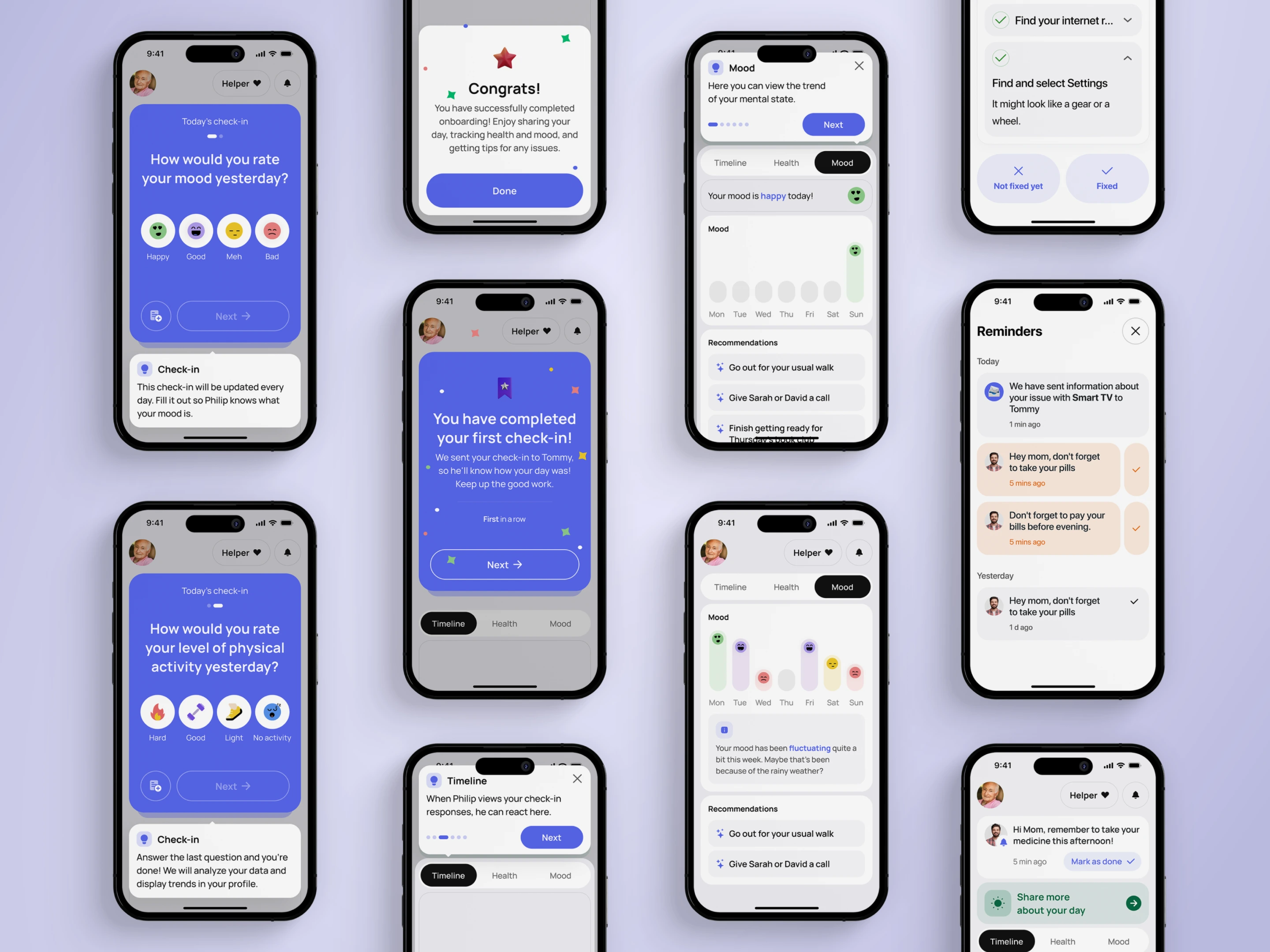
We designed onboarding as a sequence of decisions with an explanation at each point. Health permissions come with context before the system prompt appears. Profile information can be reviewed and changed. The first visit introduces the actions people will use regularly.
02 / Everyday context
A daily check‑in becomes
a useful family picture.
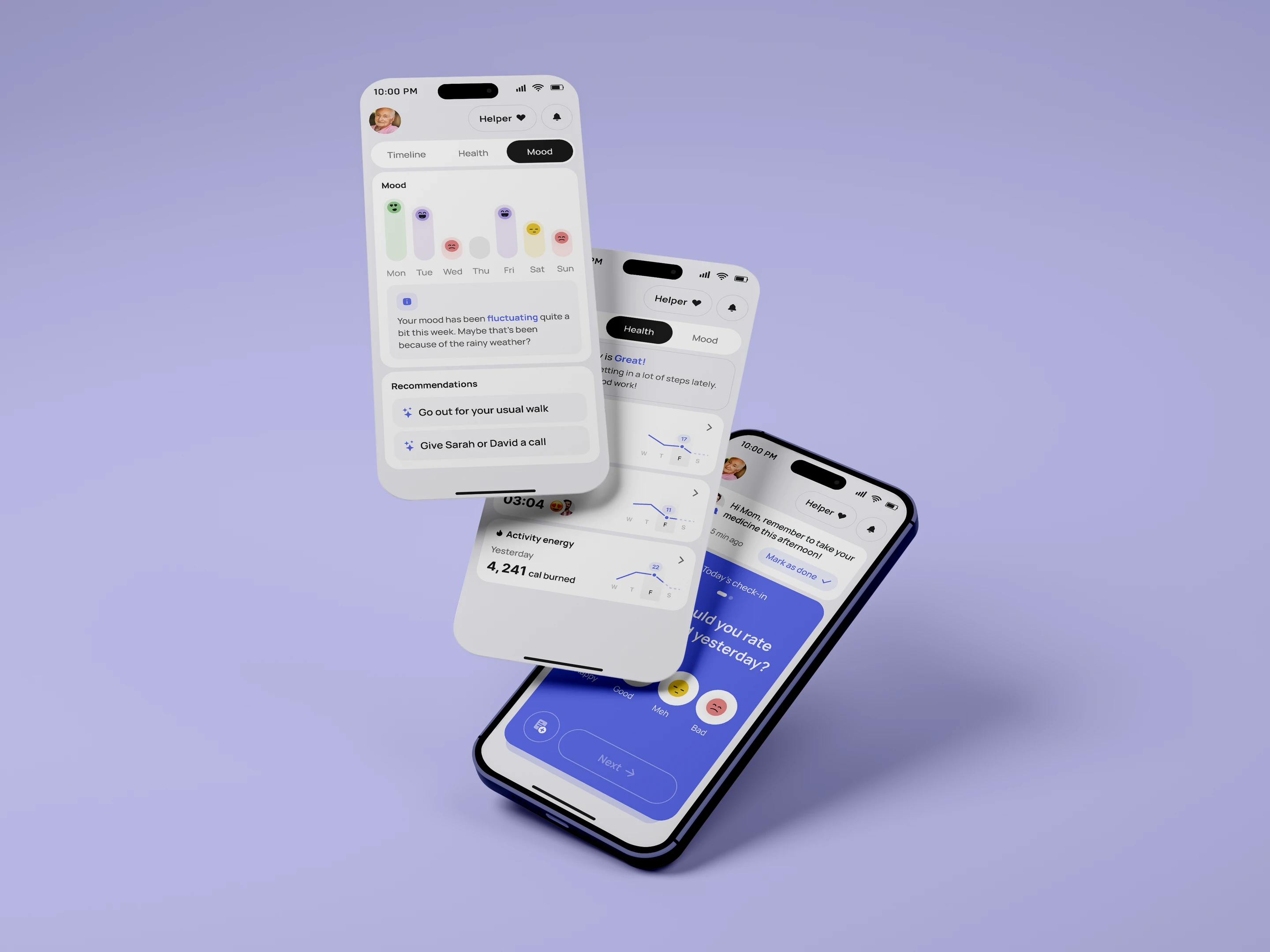
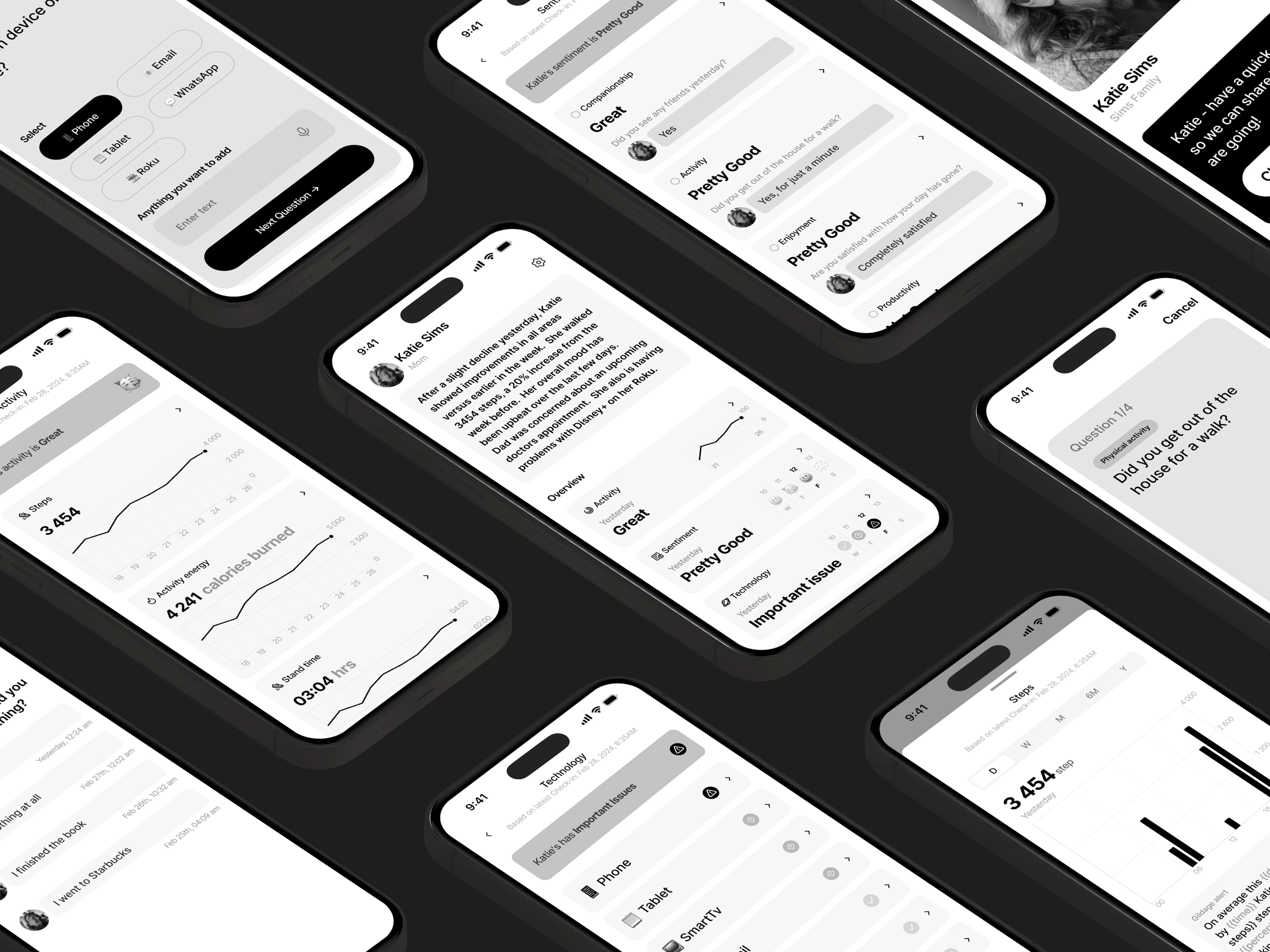
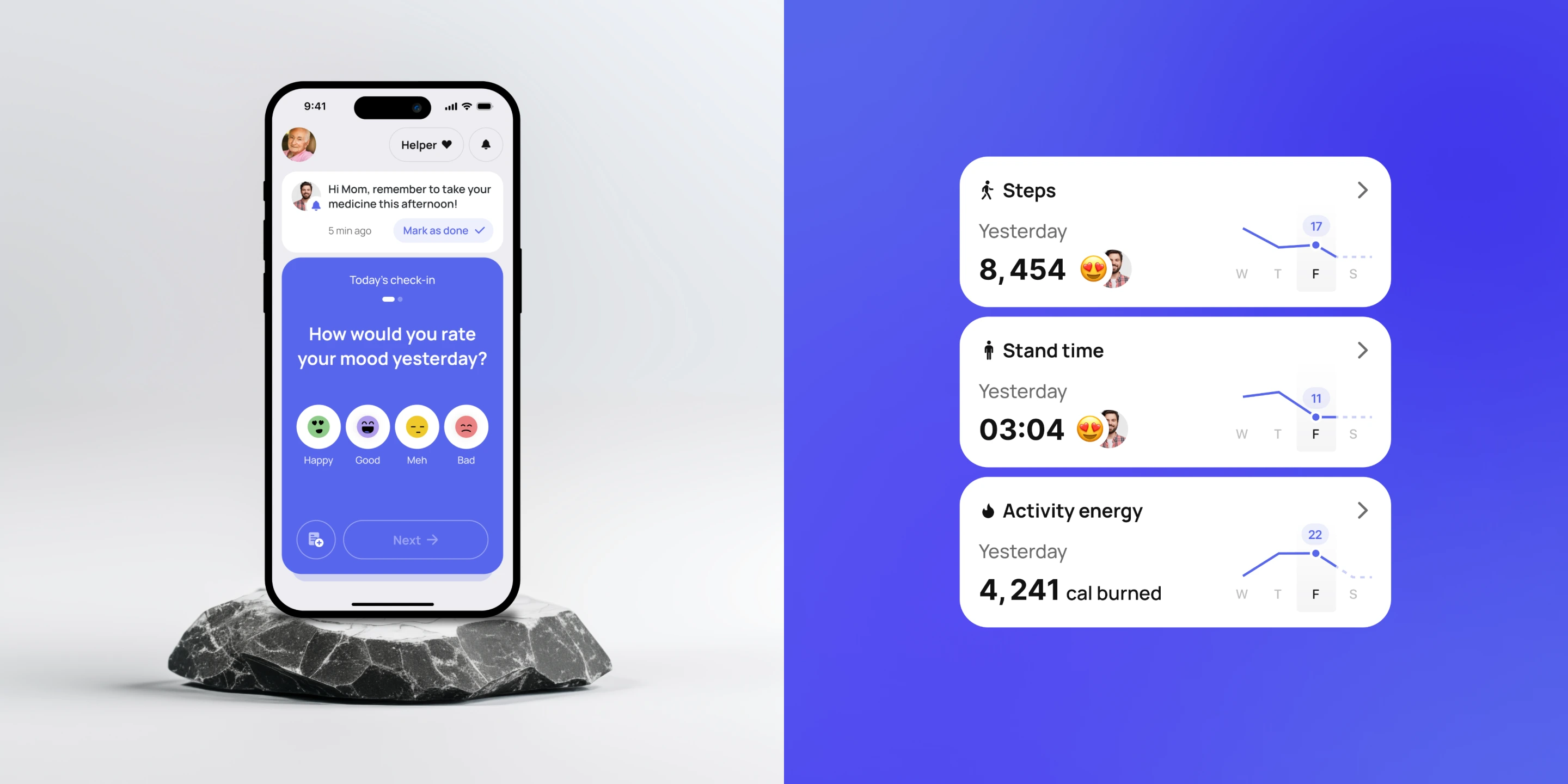
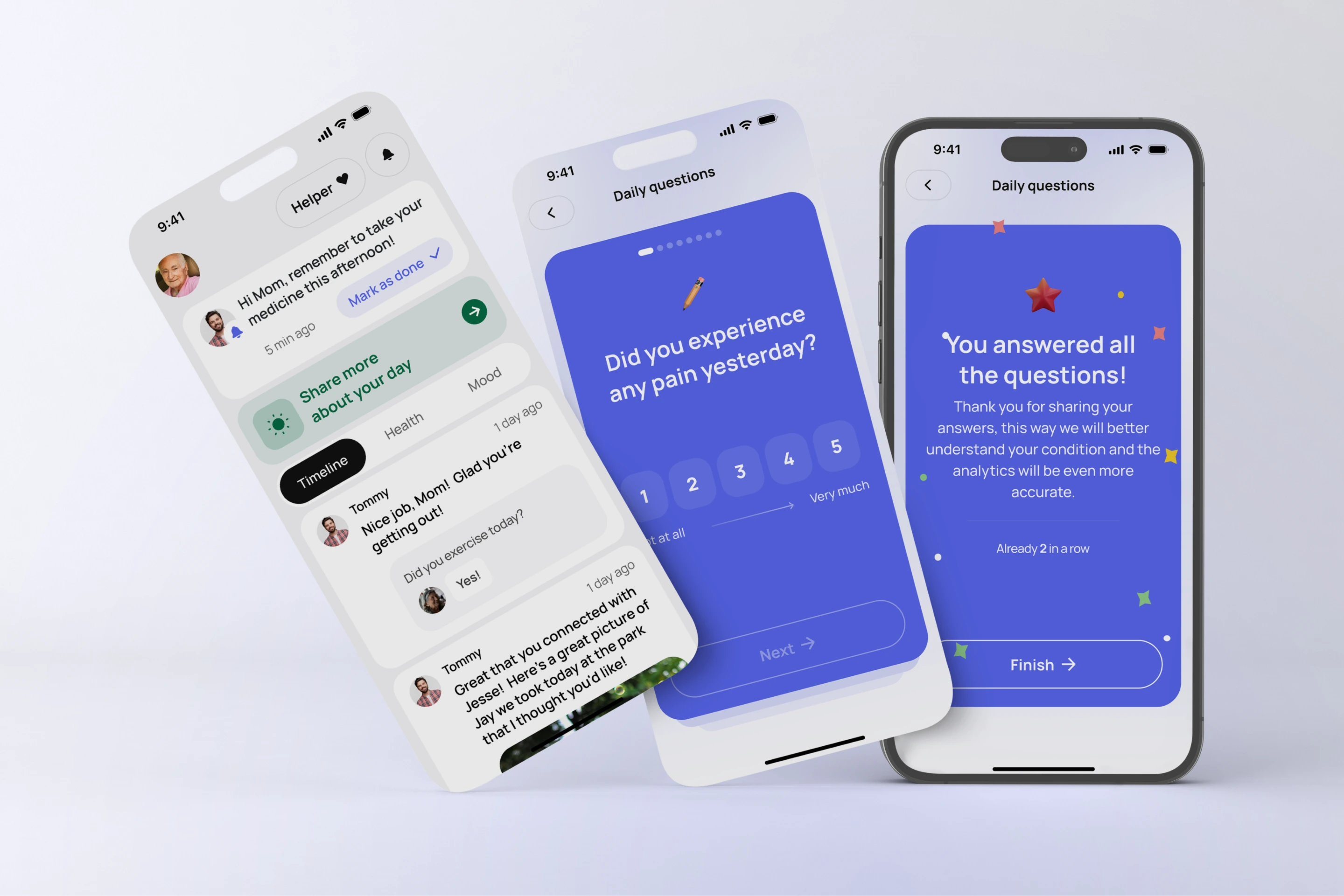
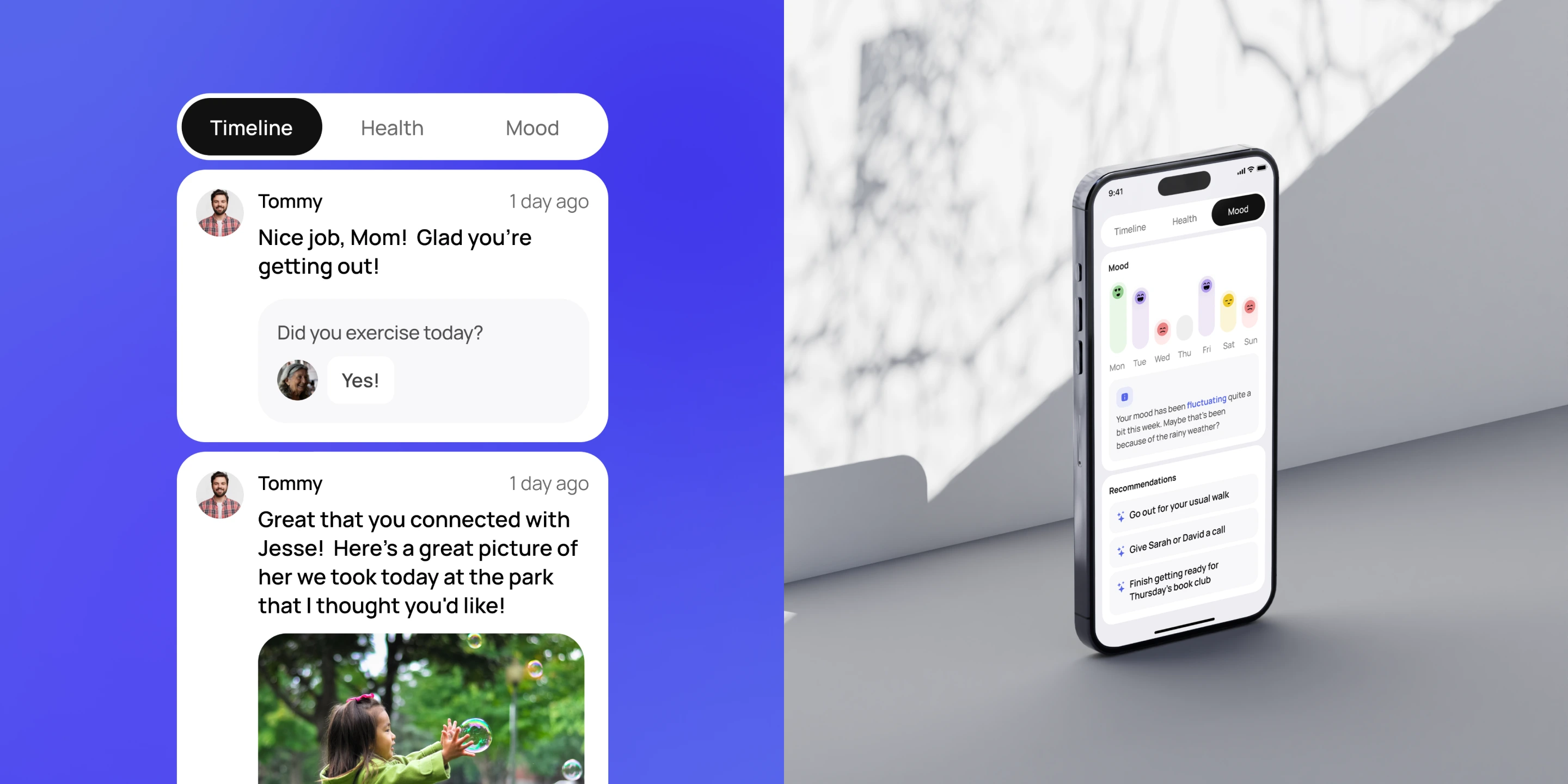
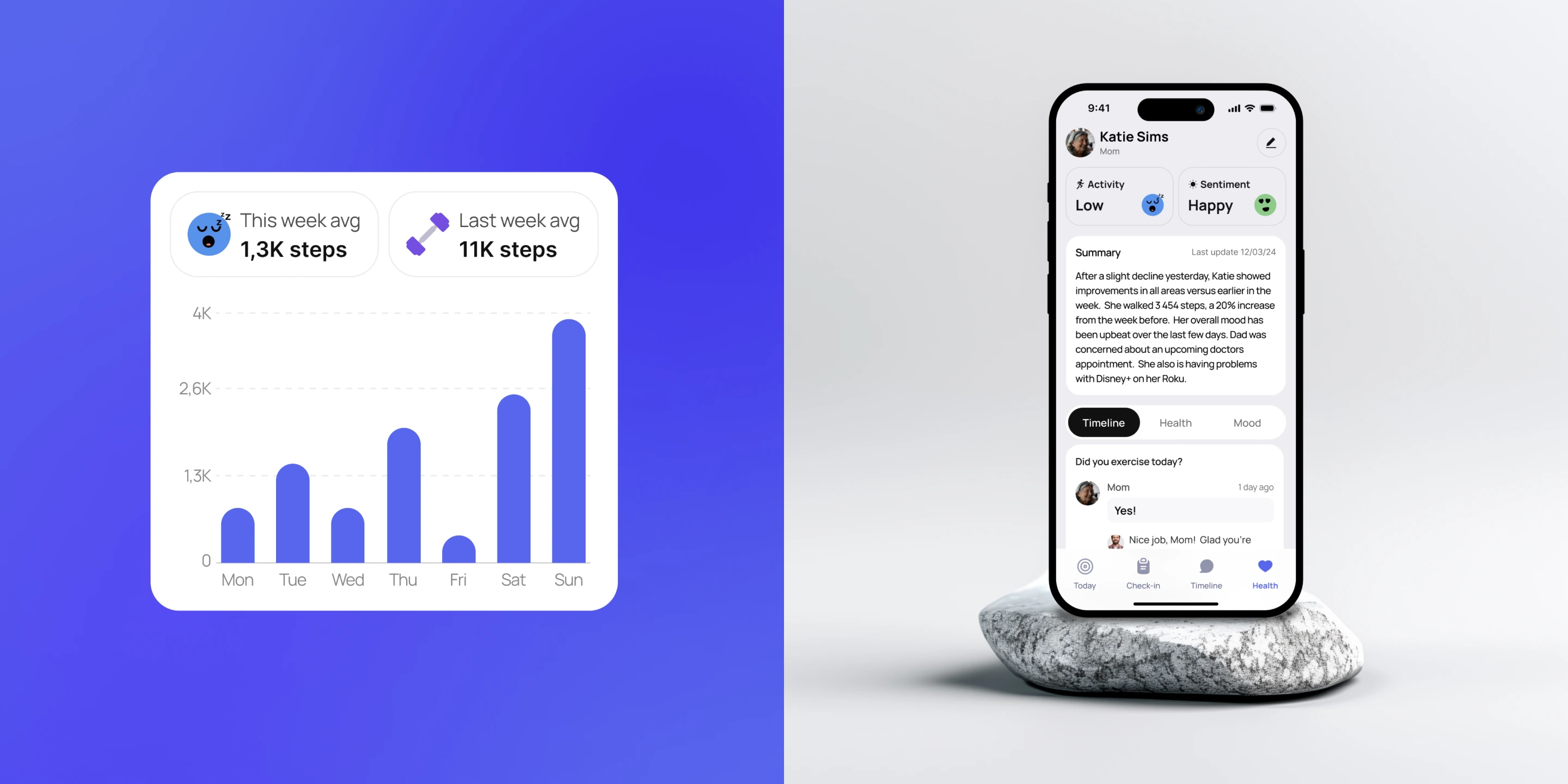
A brief check‑in lets parents share how they feel without writing a long update. For their children, Timeline, Health, and Mood offer different views of the same relationship: what happened, how activity changed, and how their parent has been feeling over time.
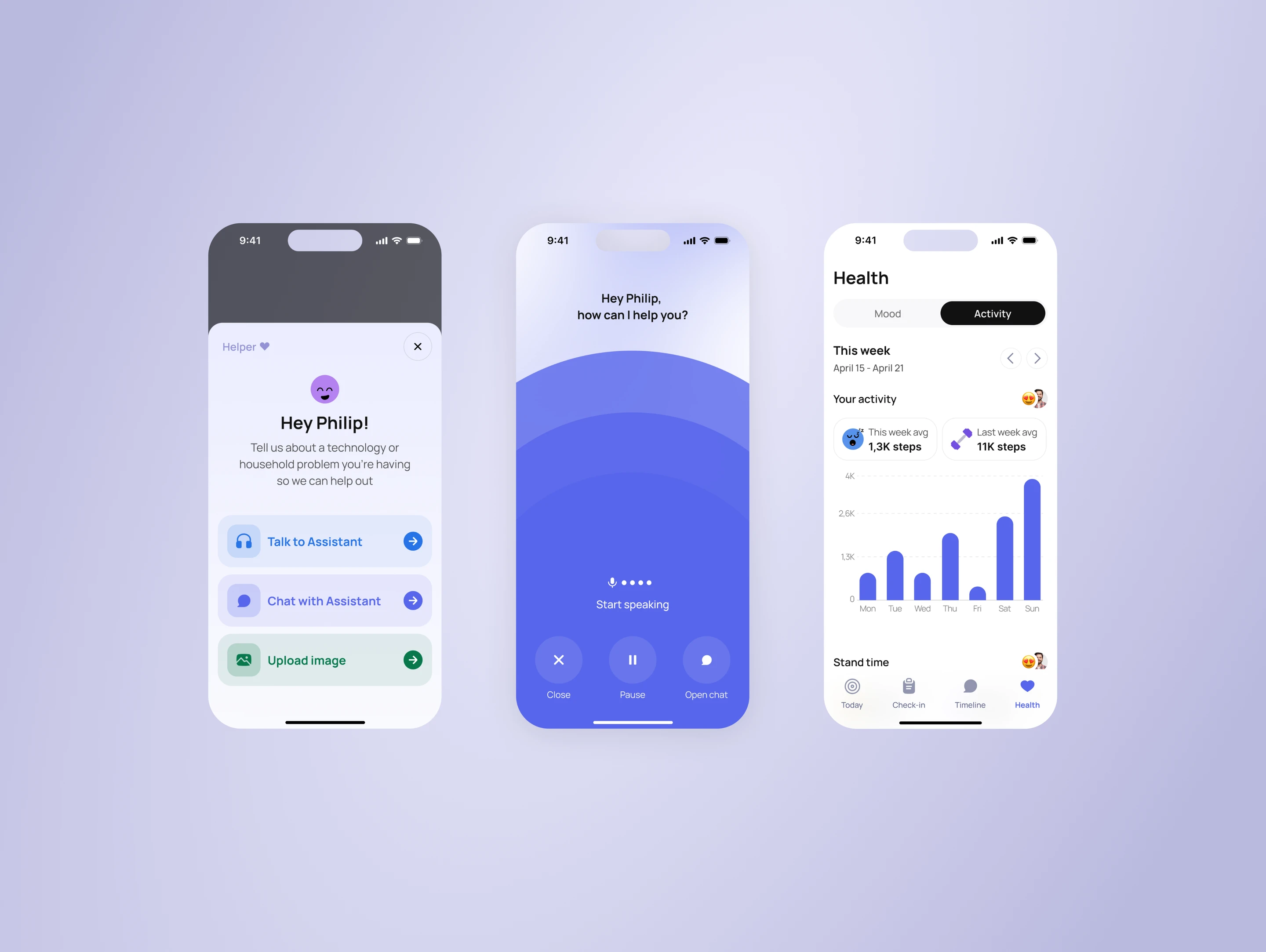
The health view brings activity metrics into a consistent structure with selectable periods and drill‑downs. Mood history adds a longer view alongside individual check‑ins. Conversations and shared media sit close to those updates, so the response can be a message or a call.
03 / AI with a handoff
Help that knows
when to bring in a person.
Parents can describe a technology or household problem through text, voice, or an image. The assistant uses available context about their devices and guides them through a response, including step‑by‑step instructions where needed.
The interaction does not end when an answer is generated. Parents can confirm whether it worked, try again, or ask their child for help. That handoff carries the problem and attempted steps forward, so the family member has context instead of starting from scratch.
Design outcome
One family experience.
Clear roles for people and AI.
The resulting mobile design connects onboarding, everyday check‑ins, family communication, and assisted problem‑solving. Parents have a direct way to act. Their children have context and a clear point of entry when support is needed.
- Parents
- Check in, ask for help, stay connected
- Family
- Follow updates and respond with context
- Assistant
- Guide, gather feedback, hand off