
Glossa
Product design / B2B SaaSTurning messy project context
into confident next steps.
We designed Glossa around the decisions migration consultants make every day: what the client needs, which information to trust, and what the team should do next. The challenge was to make AI useful inside that workflow while keeping the consultant in control.
- Product
- Enterprise migration workspace
- Built for
- Migration consultants & SI teams
- Explore
- Visit Glossa ↗
The design challenge
Keep the reasoning intact
from discovery to delivery.
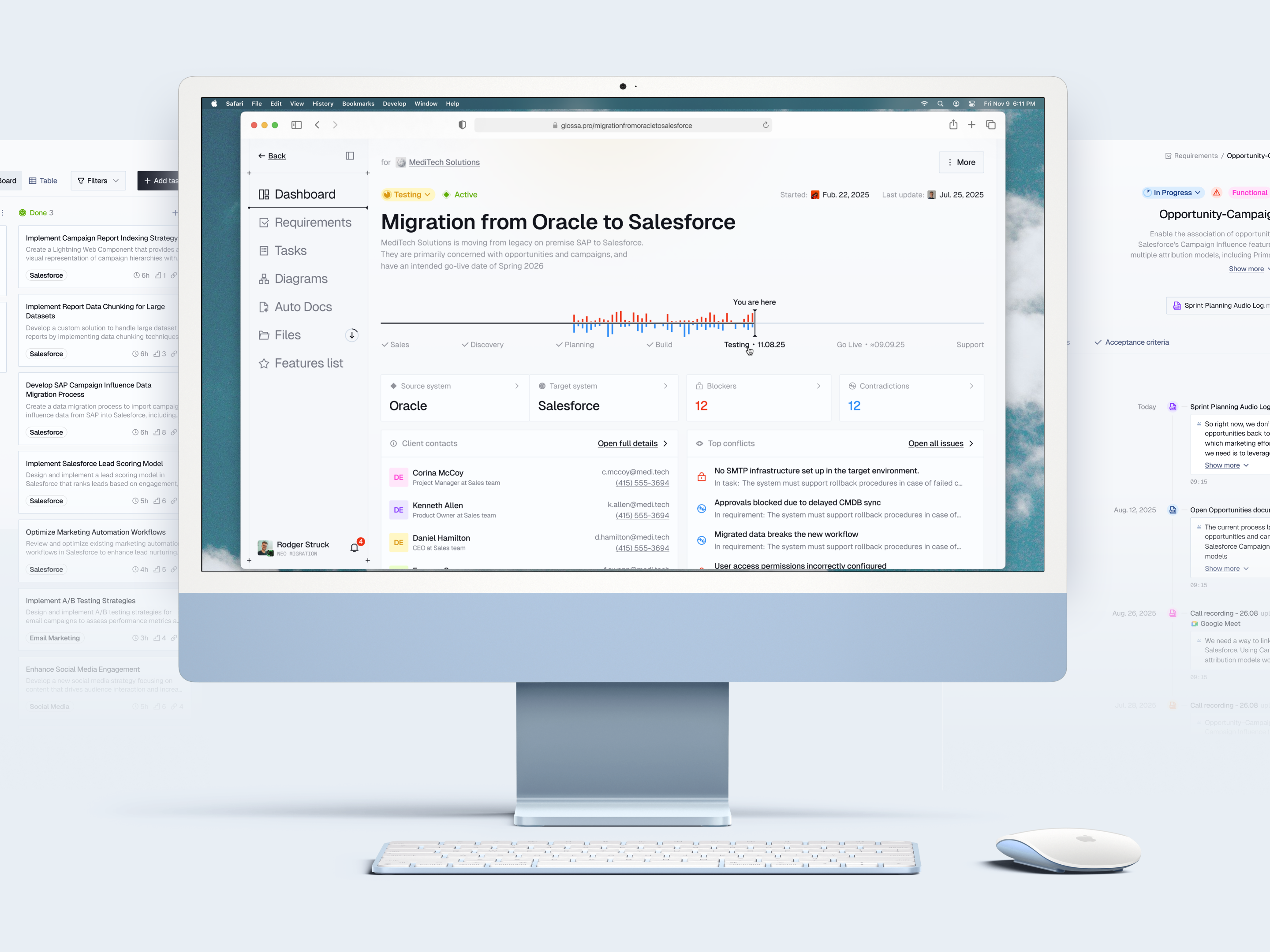
A migration starts with fragments: a promise made in sales, an exception mentioned on a call, a process buried in a document. Analysts have to turn them into a scope the client agrees with and a team can build. Every handoff creates another chance to lose the reason behind a decision.
We organized the experience around that chain of reasoning. Projects hold the context; requirements connect evidence to decisions; tasks and documents carry those decisions forward. This gave us a principle for the interface: the information needed to judge a decision should be reachable from the place where it is made.
01 / Design for the way projects arrive
Let teams start
where the work already is.
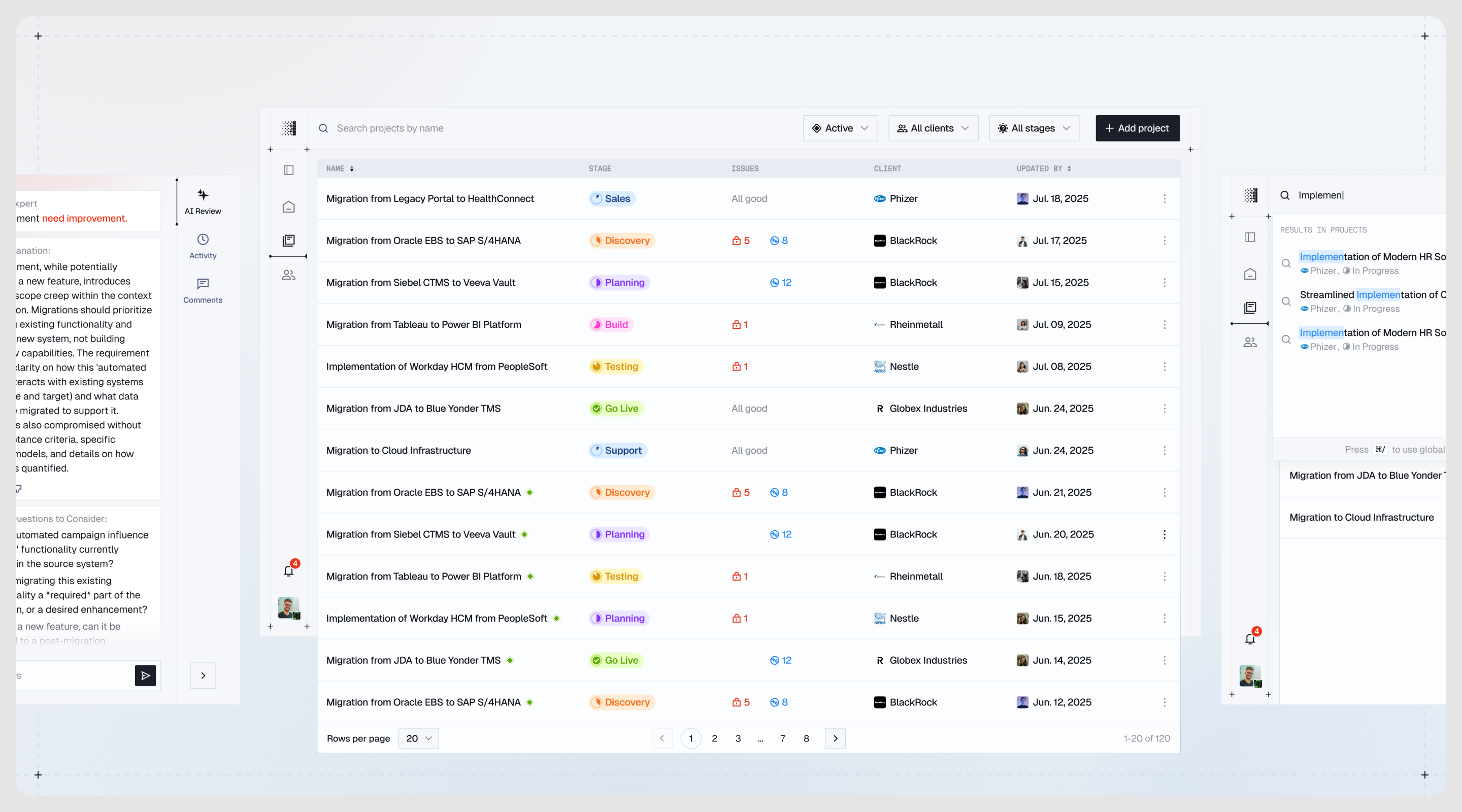
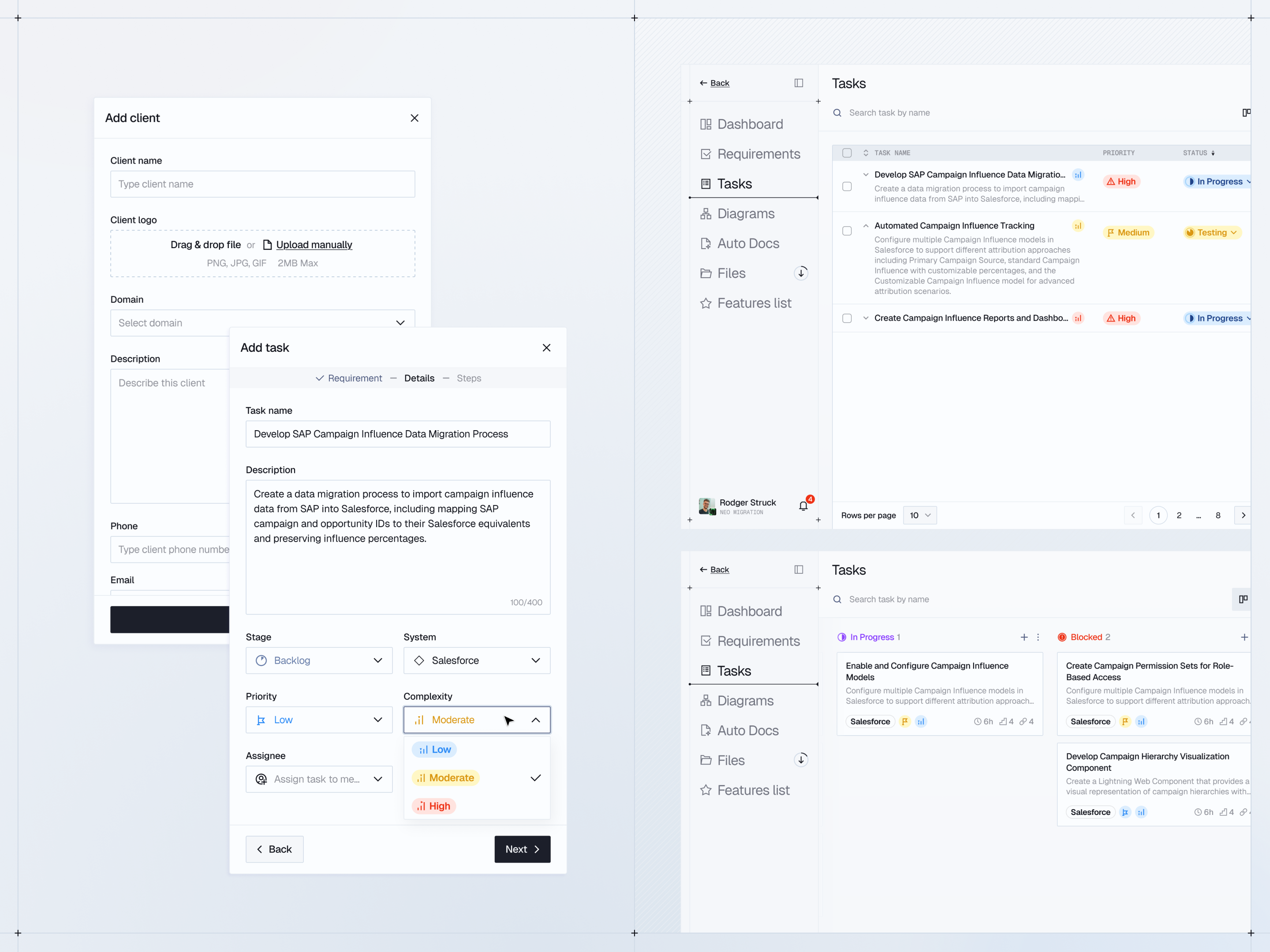
A consultant may join before discovery or halfway through an implementation. We made the starting stage explicit in project setup, so an ongoing engagement can enter at its actual stage. Client and system details establish the project first; source files and feature groupings can follow. That sequence lets teams begin with what they know. Linked folders then keep incoming material connected to the same workspace, so setup can grow with the engagement.
02 / Turn trust into an interaction
Give every AI suggestion
a path back to the evidence.
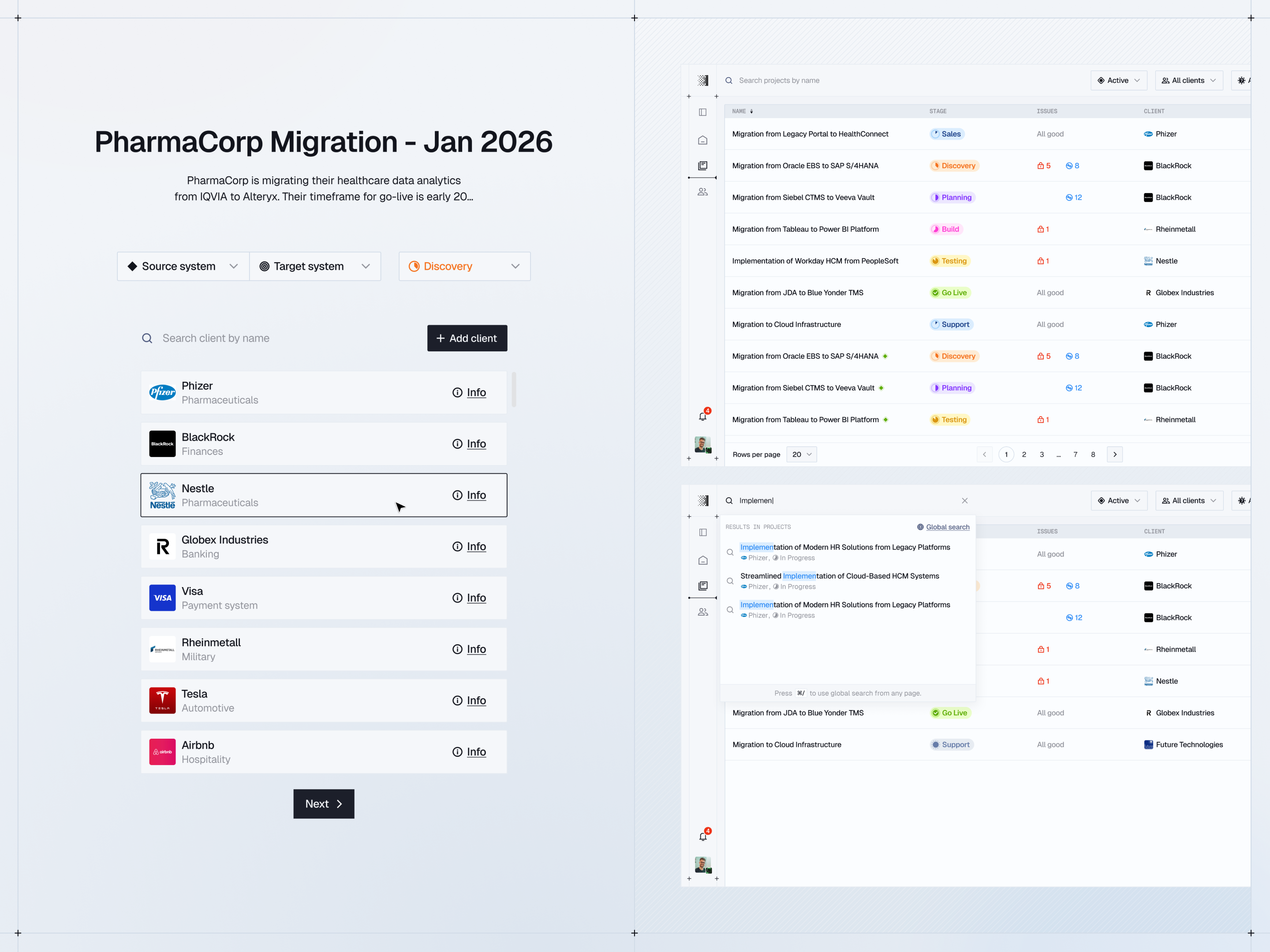
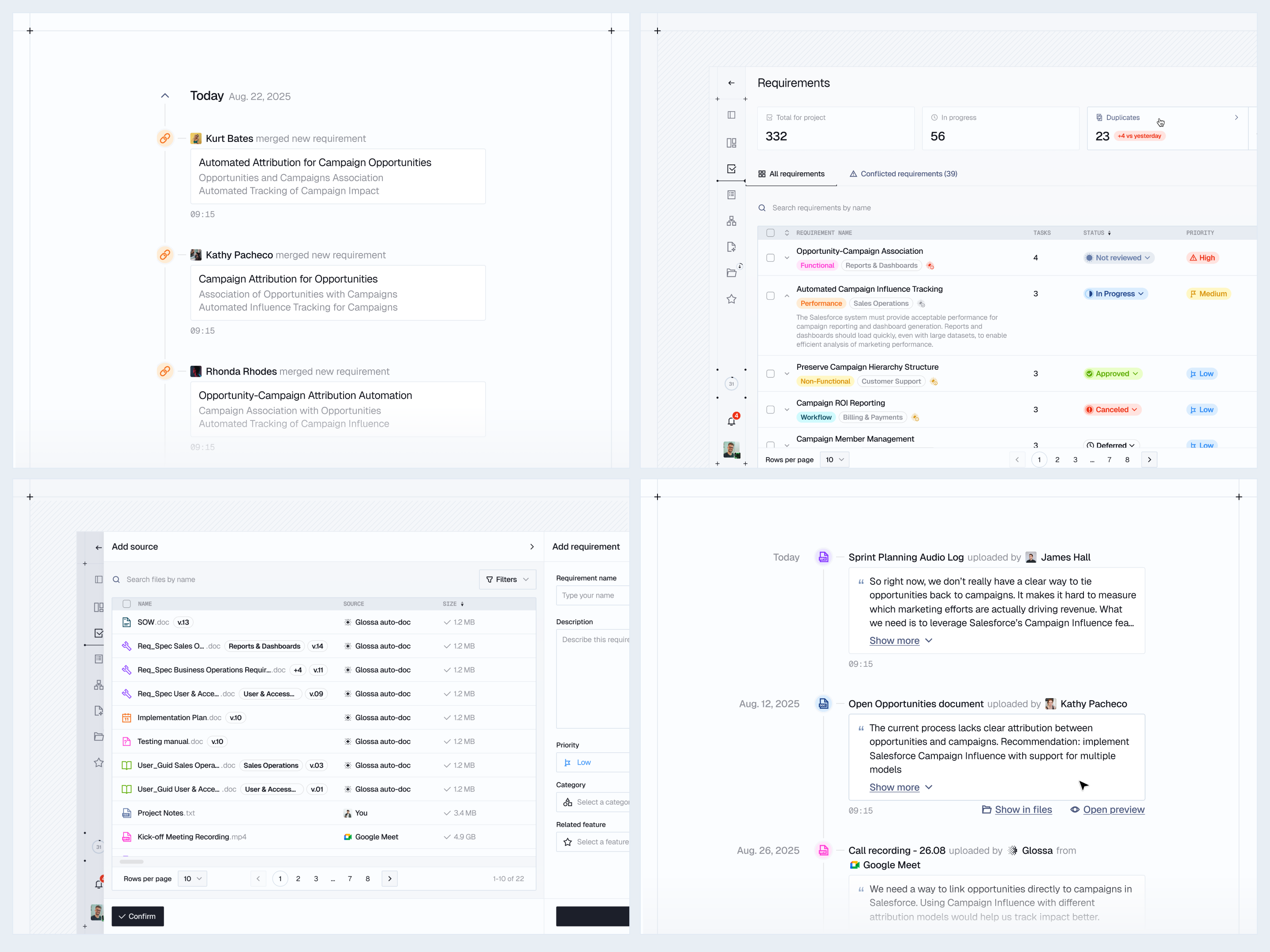
An AI draft is only useful when a consultant can judge it. We placed source passages, acceptance criteria, and related tasks within the requirement detail, with review and history alongside. A question about wording can lead directly to the original excerpt. For contradictions, we designed a guided review: compare the pair, understand the conflict, then merge, dismiss, or retire a requirement. A suggested client contact gives unresolved questions a next step. The consultant makes the call; the interface keeps the reasoning visible.
03 / Connect oversight to action
Show what needs attention.
Keep the next step close.
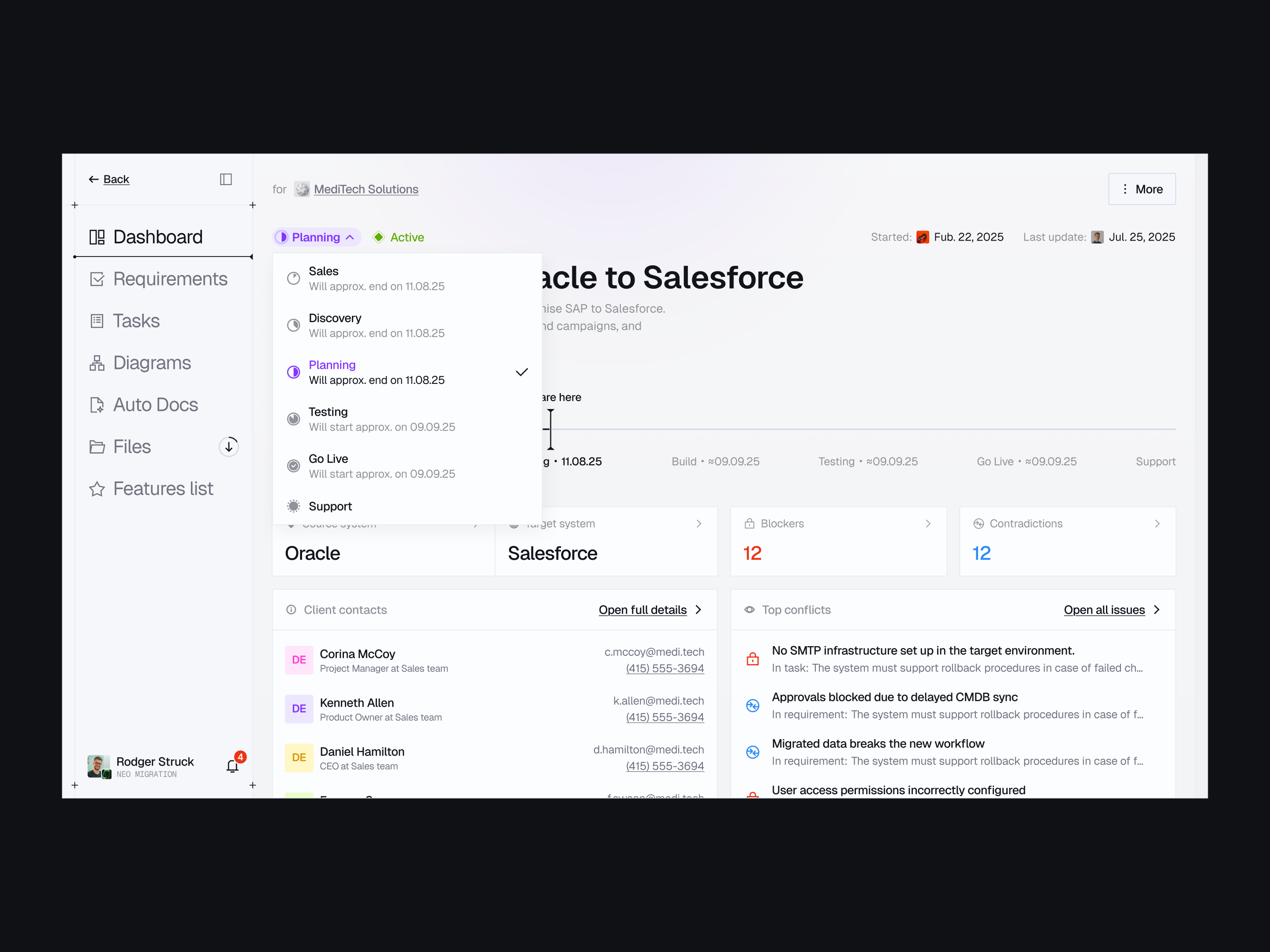
A delivery manager scans for risk; an analyst needs the detail behind it. We connected those two levels: the dashboard surfaces stages, blockers, and contradictions, while linked requirements and tasks provide the path into the work. Tasks carry implementation steps and acceptance context so the handoff preserves what was agreed. AI estimates remain editable, leaving room for the consultant’s judgment. Board and table views offer different ways to work with the same task set, without splitting the project into separate records.
04 / Design the handoff beyond the app
The experience continues
in what the client receives.
The client may experience Glossa through a document before they ever see the workspace. We treated that handoff as part of the product flow. Auto Docs draws on the project’s existing context for scopes of work, specifications, implementation plans, and guides. Templates let consultancies keep their own structure; regeneration and version history support the next review round. The design connects gathering context, making decisions, and communicating them, so consultants can carry their work through to a client‑ready deliverable.
05 / Business outcome
From a paid pilot
to standard practice.
At Provisio, Glossa grew from a March 2026 pilot into a shared workflow for the entire delivery organization. By June, it was part of the company’s standard operating procedures.
- ~75%
- Of initial requirements legwork handled by Glossa, estimated by a Provisio analyst
- 2 months
- From paid pilot to adoption across the delivery organization
- One process
- Across the delivery team
The business value: less manual preparation, consistent requirements, and more room for consultants to focus on decisions that need their expertise.
Explore Glossa ↗