
Synthweave
Product design / AI knowledge workspaceWrite, connect, and develop
your team’s knowledge.
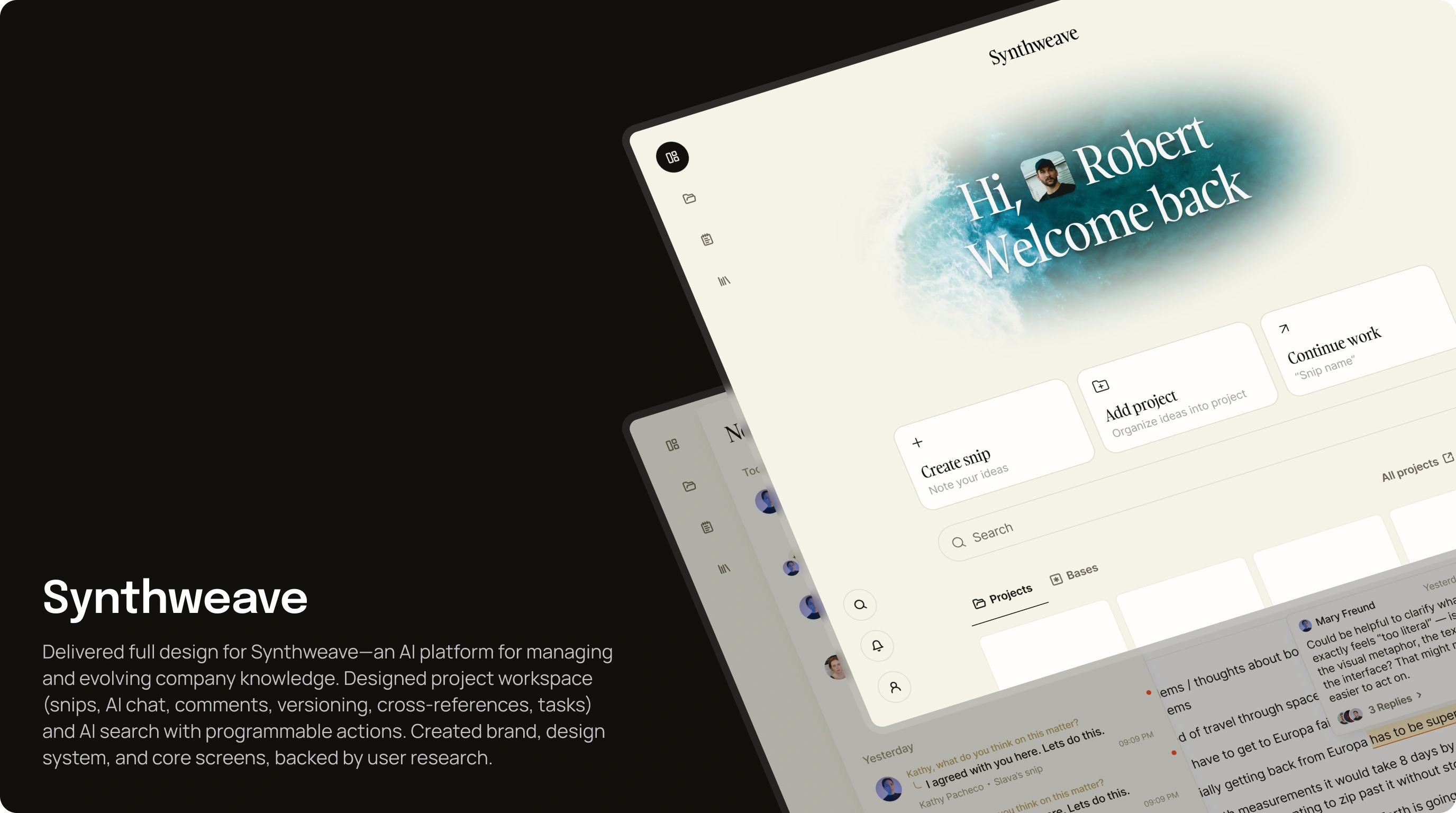
Synthweave brings documents, ideas, and team knowledge into a shared workspace. We designed its web application around a flexible text editor, connected notes, and an AI assistant that works in the context of the content.
- Product
- AI knowledge workspace
- Built for
- Teams writing and working together
- Scope
- Product architecture, editor & web UI
The design challenge
Keep the document connected
to everything around it.
A note rarely stands alone. It can belong to a project, reference other notes, prompt a discussion, or become a task. Synthweave calls these units of knowledge snips. The interface needed to support that network while keeping writing at the centre of the experience.
We designed how people move between individual snips and the wider workspace. Editing, AI assistance, comments, version history, and linked content share a consistent structure, so each action keeps its connection to the document.
01 / Editing
An editor built for
work across documents.
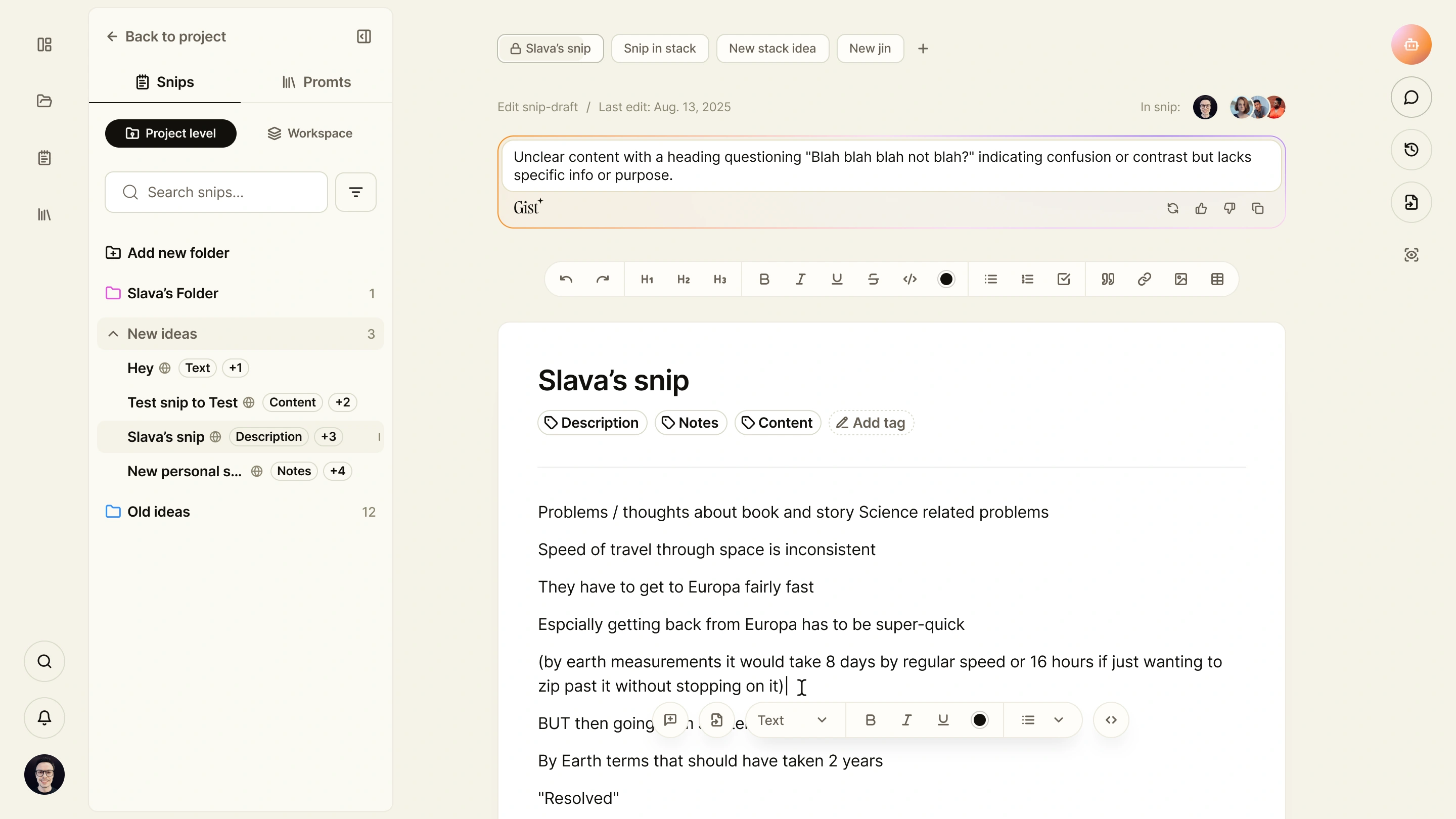
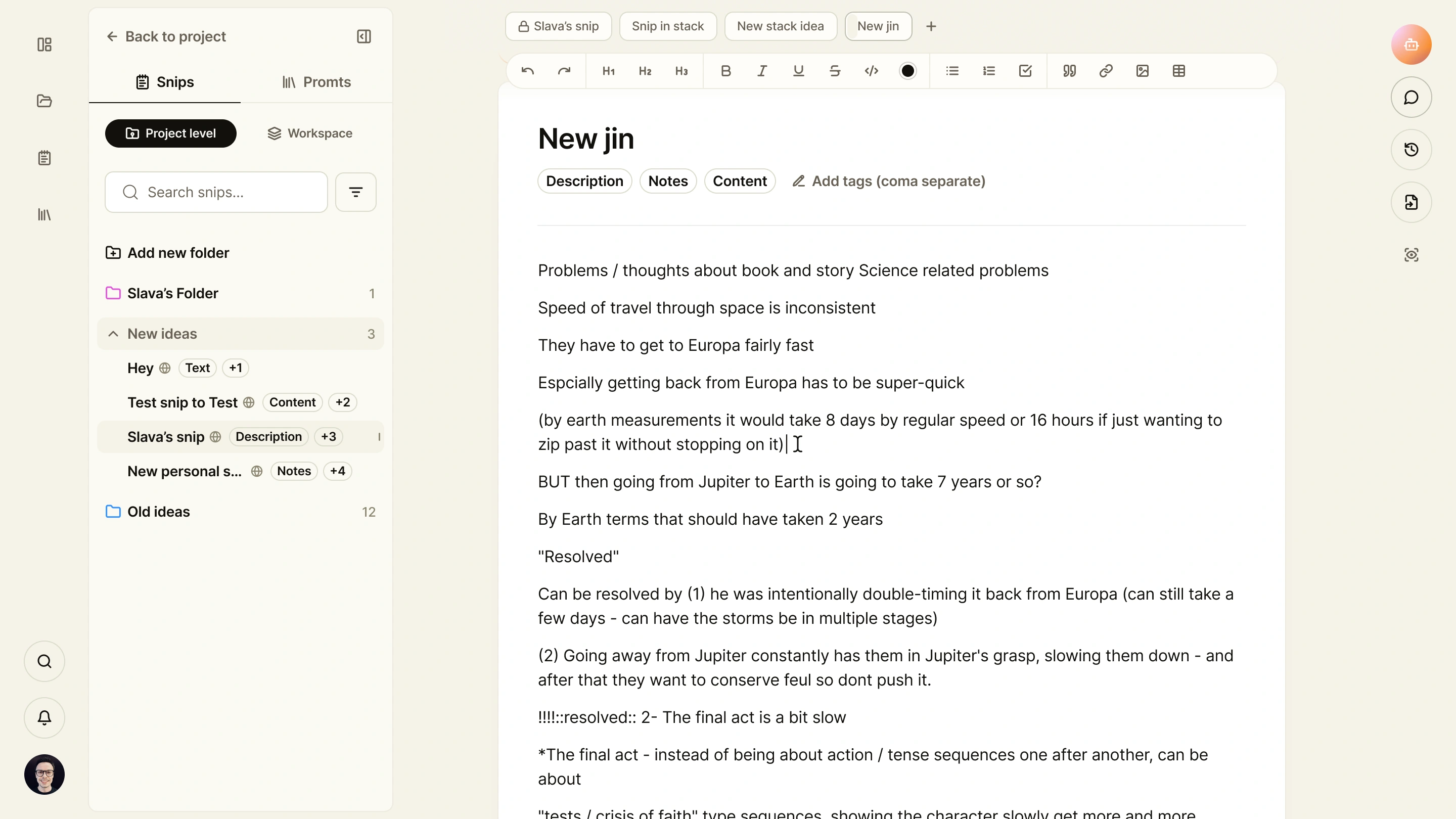
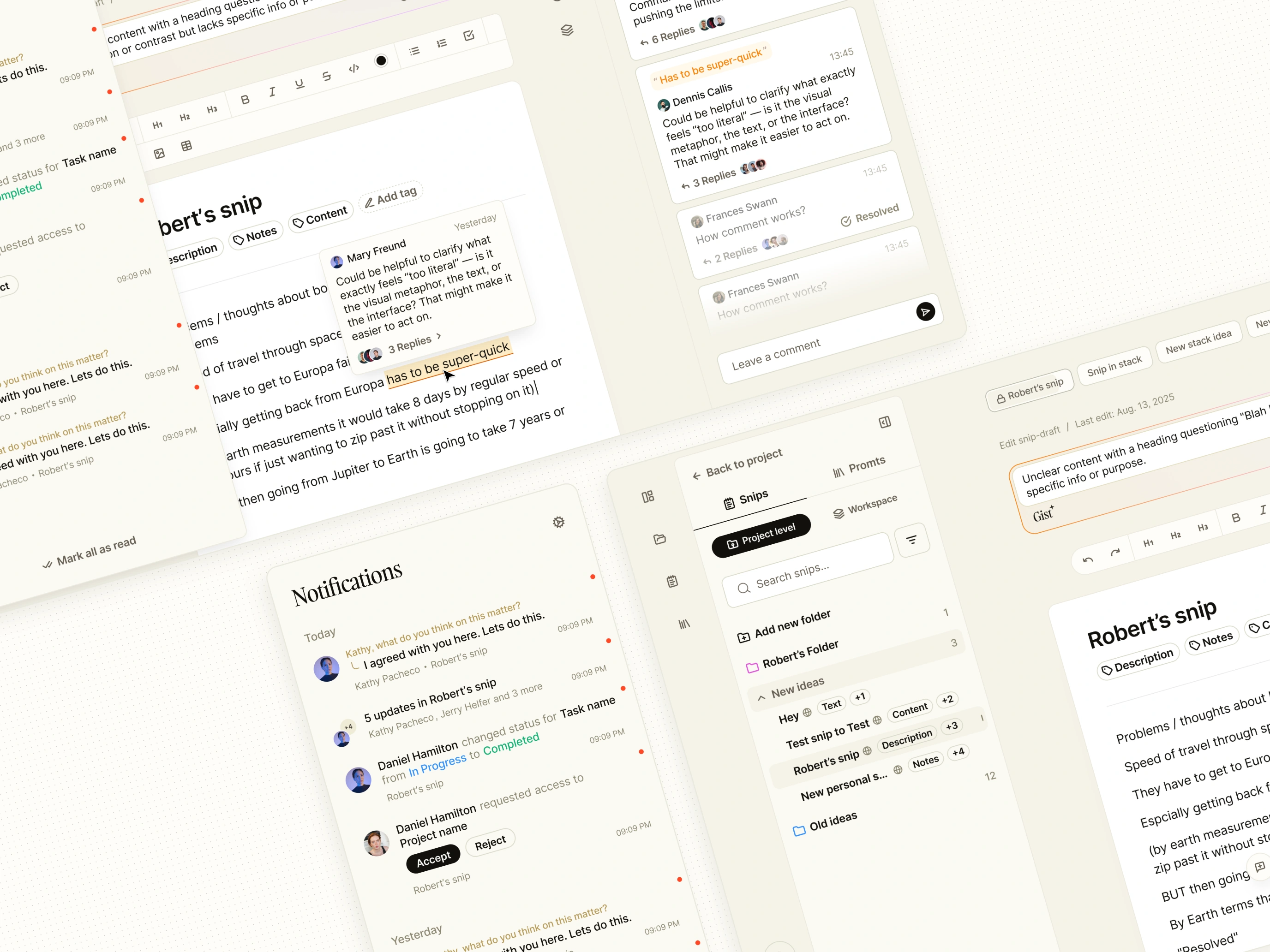
People can open several snips, switch between tabs, and work through related content in the same workspace. Project and workspace navigation stay available alongside the text, with folders, search, and tags providing different ways to find it.
Formatting controls sit above the document and follow text selection when needed. The design also includes a focus mode that reduces surrounding controls, letting people concentrate on writing without losing access to the rest of the product.
02 / AI in context
Bring AI into
the writing workflow.
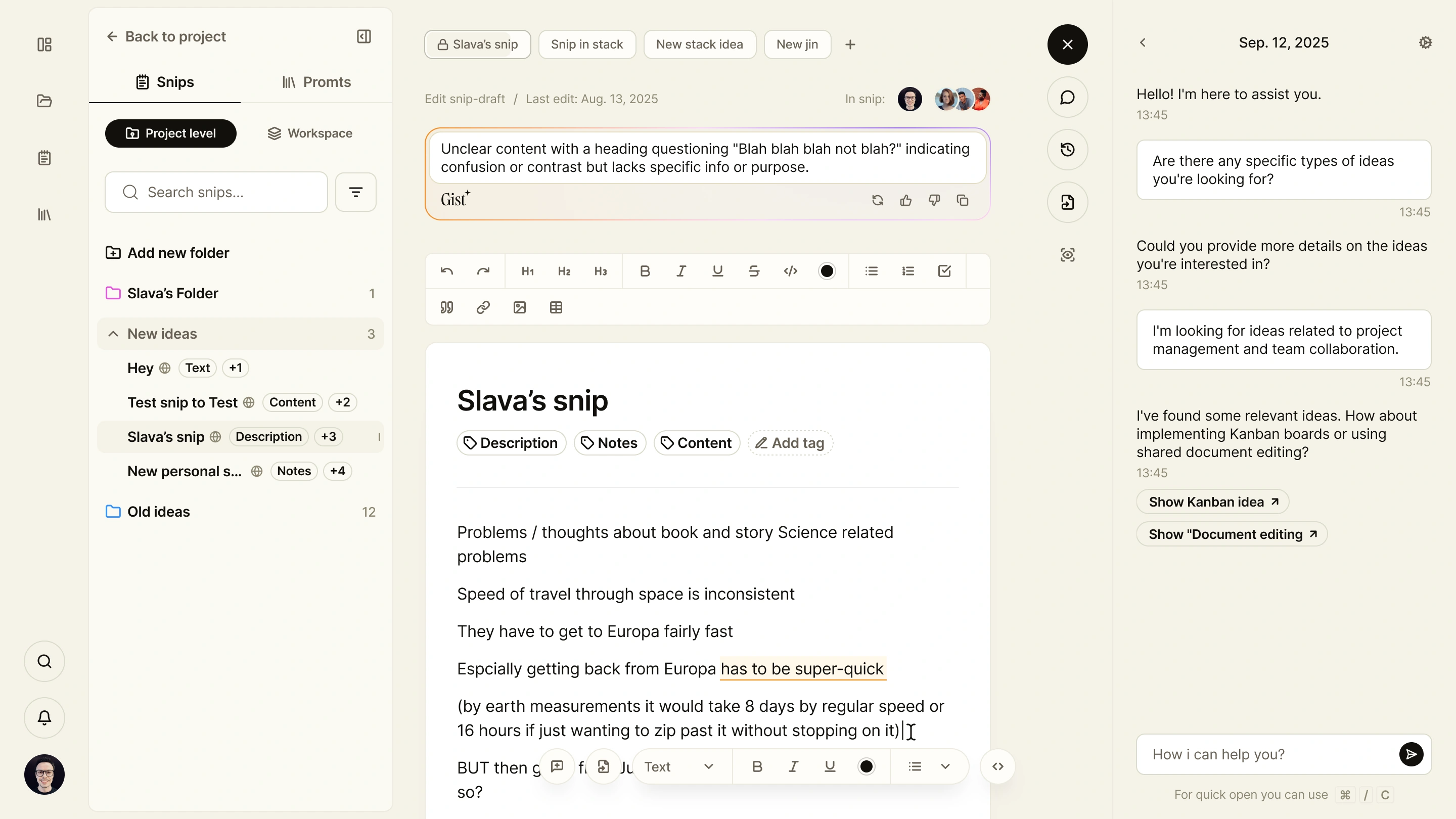
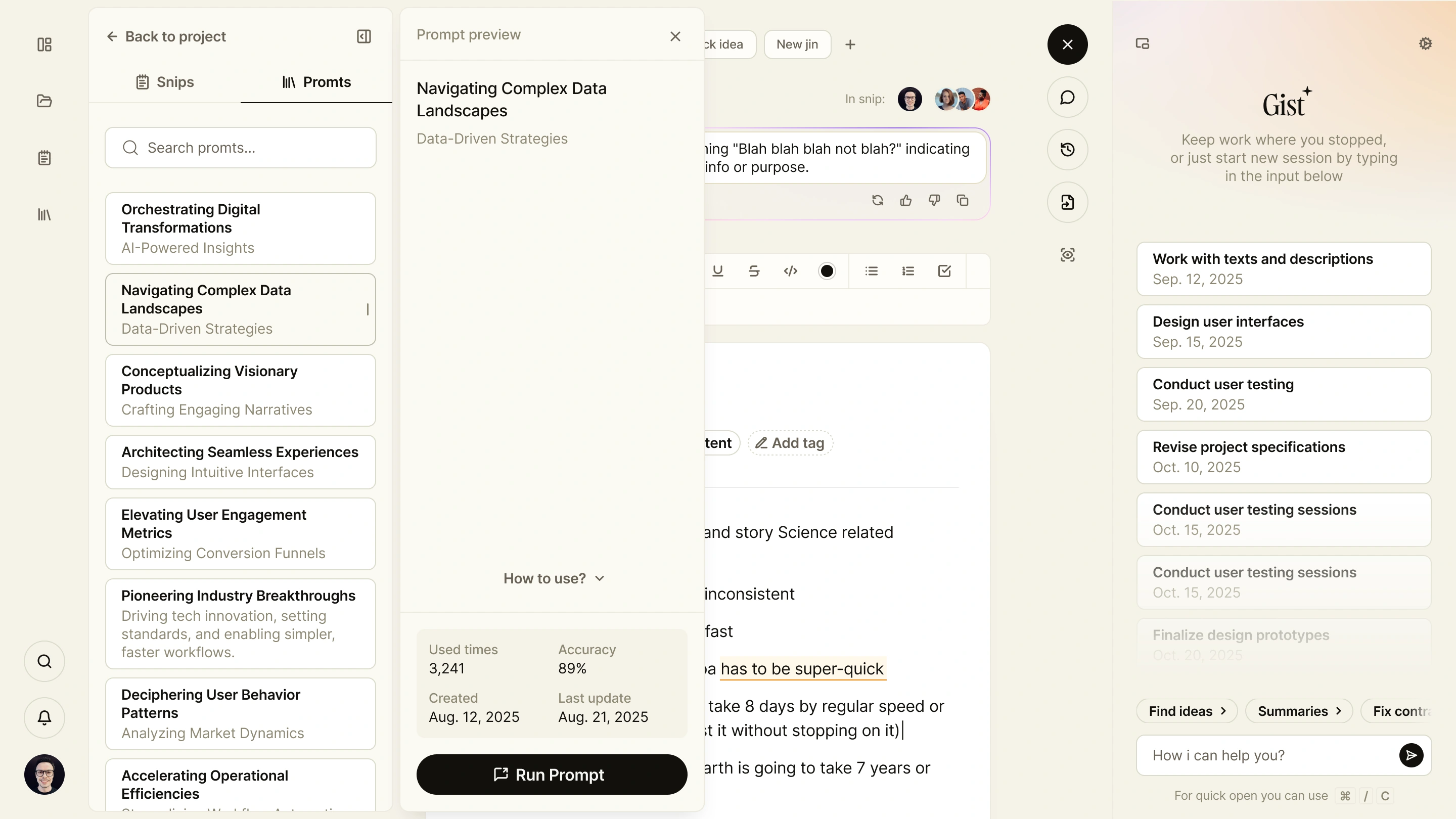
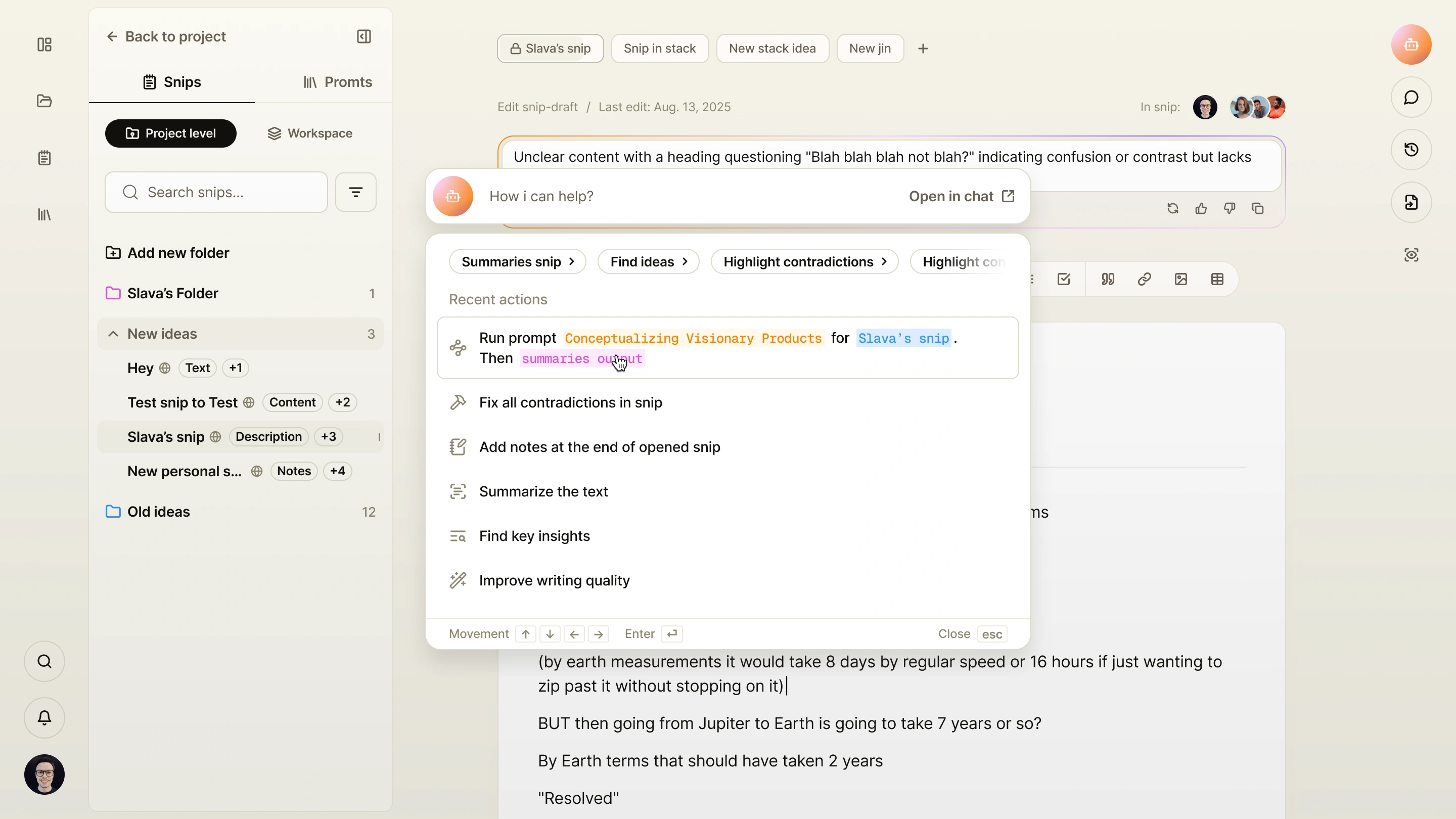
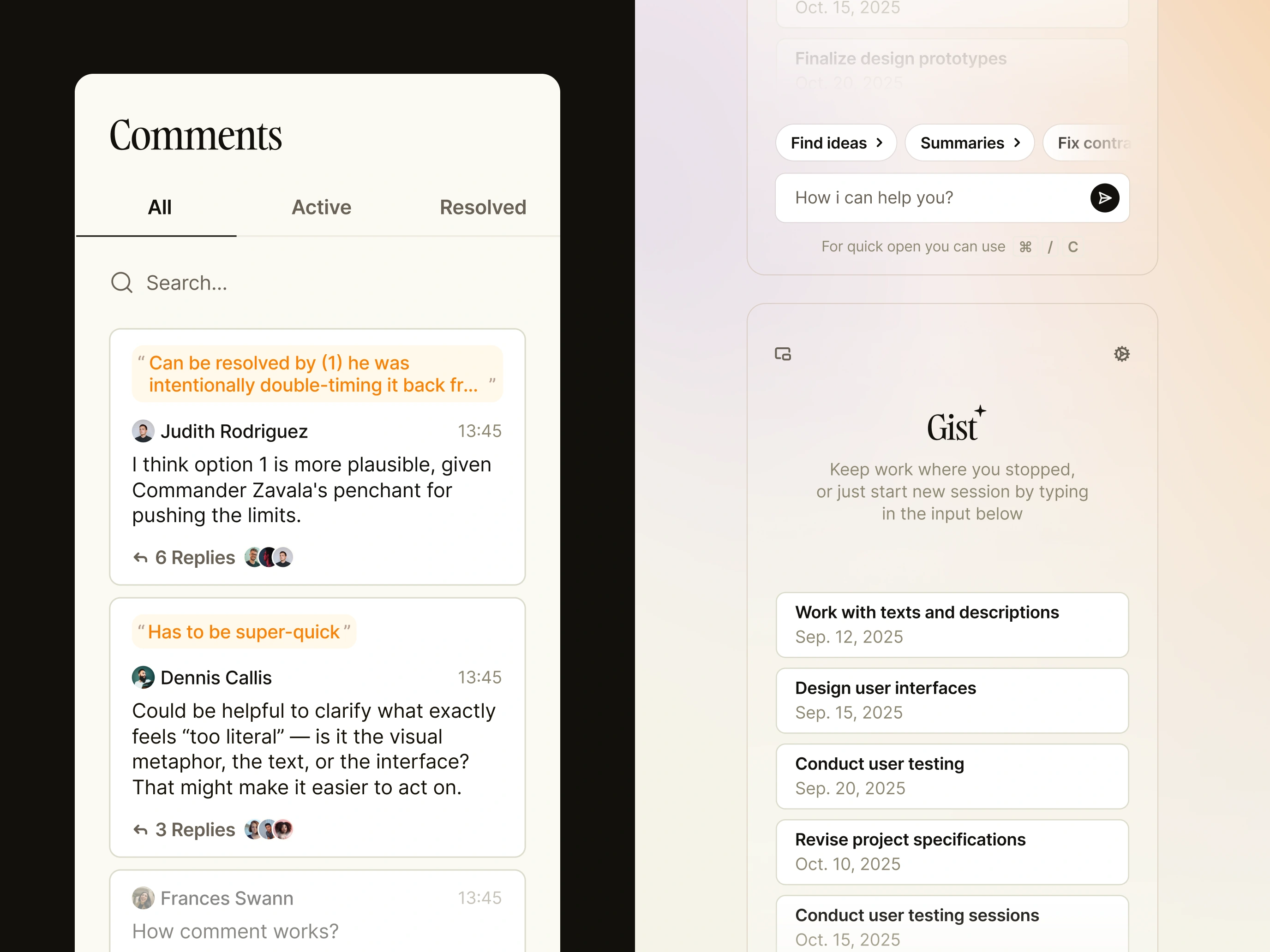
Gist, the AI assistant, sits beside the document. People can ask questions, explore ideas, and return to earlier conversations without moving their work into a separate tool. Summaries and suggestions stay close to the content they refer to.
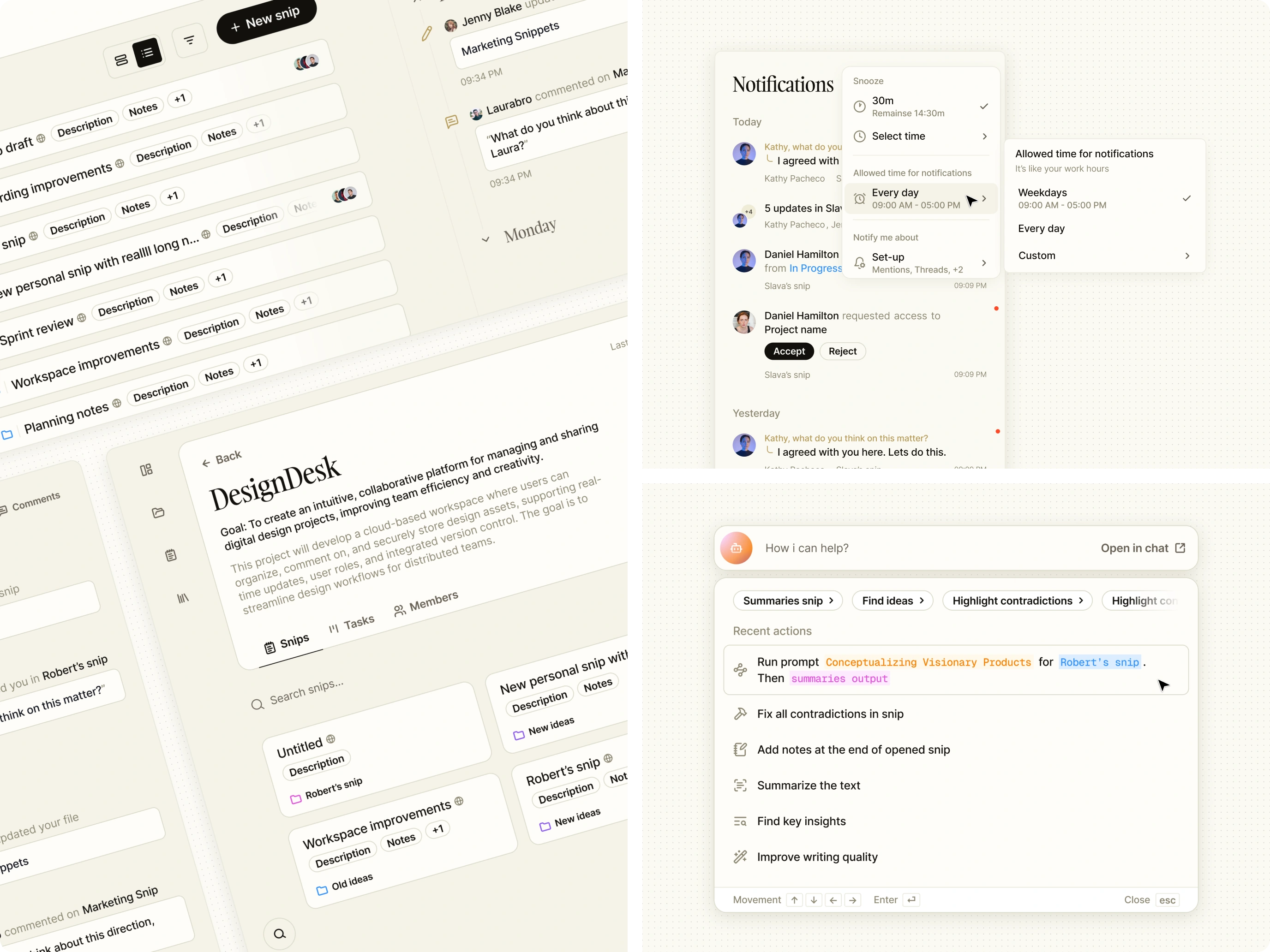
Reusable prompts support recurring work on a whole snip or selected text. Quick access brings common actions into reach, including summarising content, finding insights, improving writing, and identifying contradictions.
03 / Working together
Discuss the passage.
Keep the conversation attached.
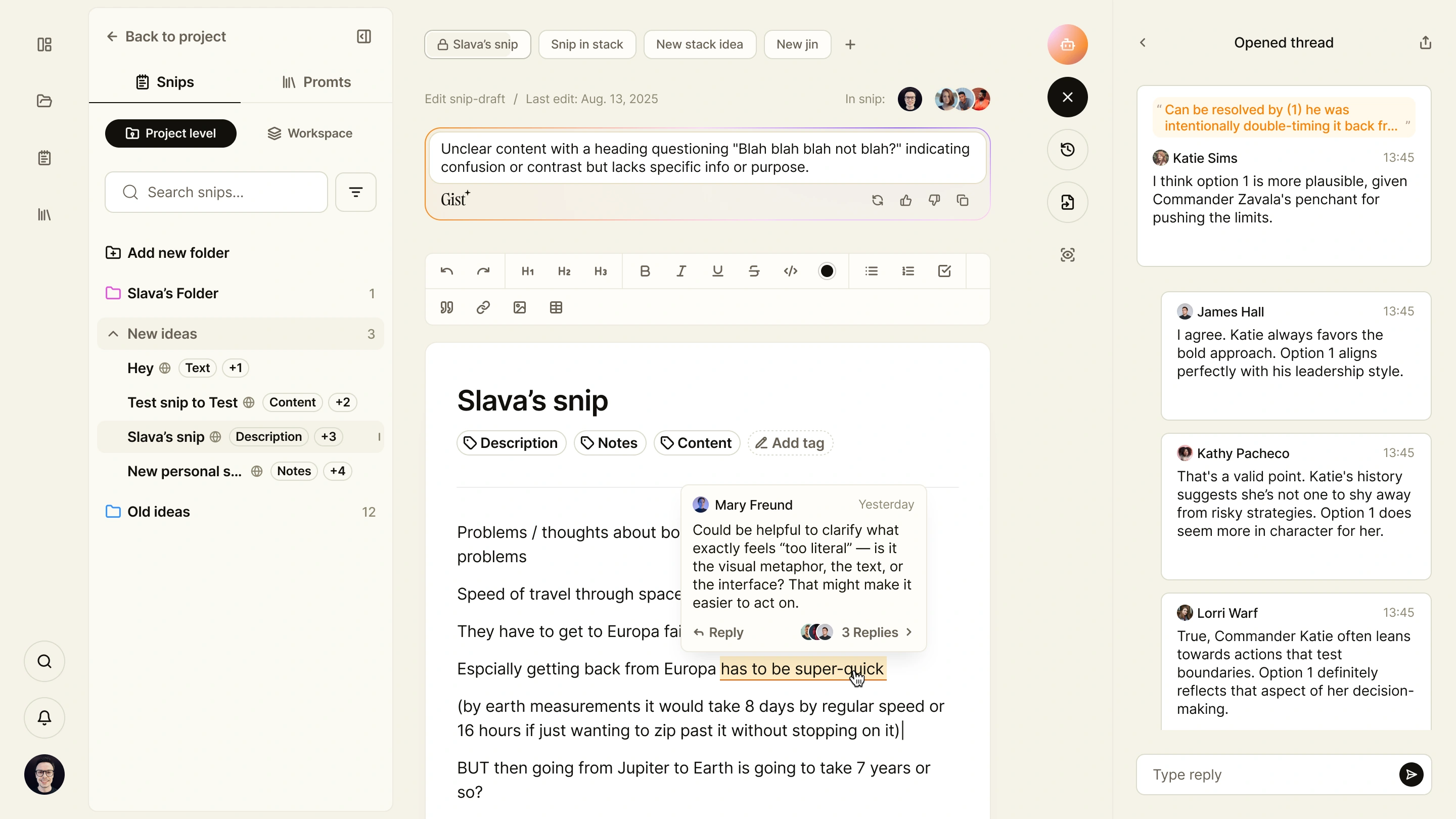
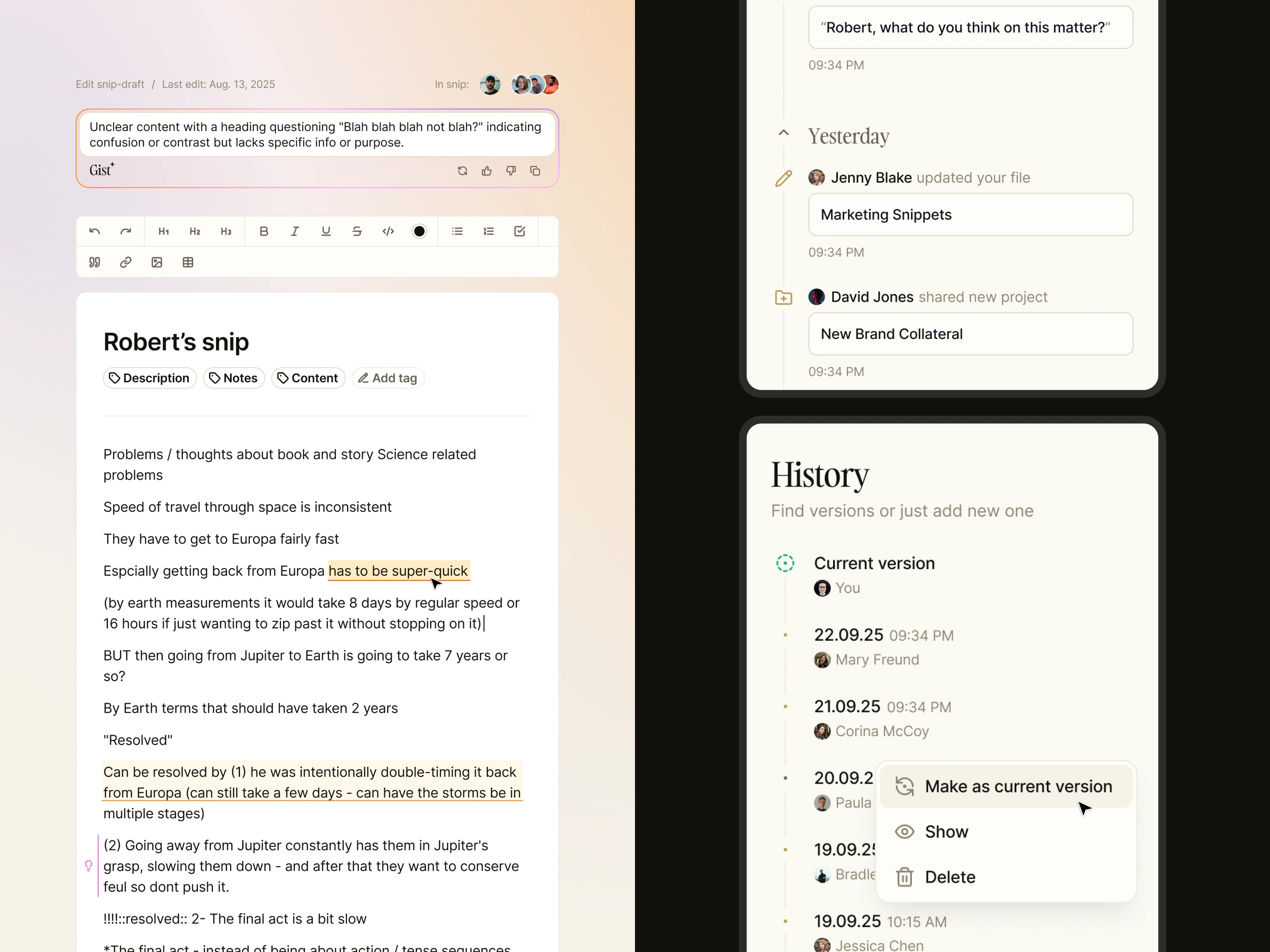
Comments can refer to a selected passage or the snip as a whole. Highlighting the relevant text gives each discussion a visible anchor, while the comments panel brings threads together for review and replies.
Team presence shows who is working in the document. Activity and notifications connect changes across the workspace, with working hours and snooze controls letting people decide when they want to be interrupted.
04 / Connections and versions
Make the context
available for inspection.
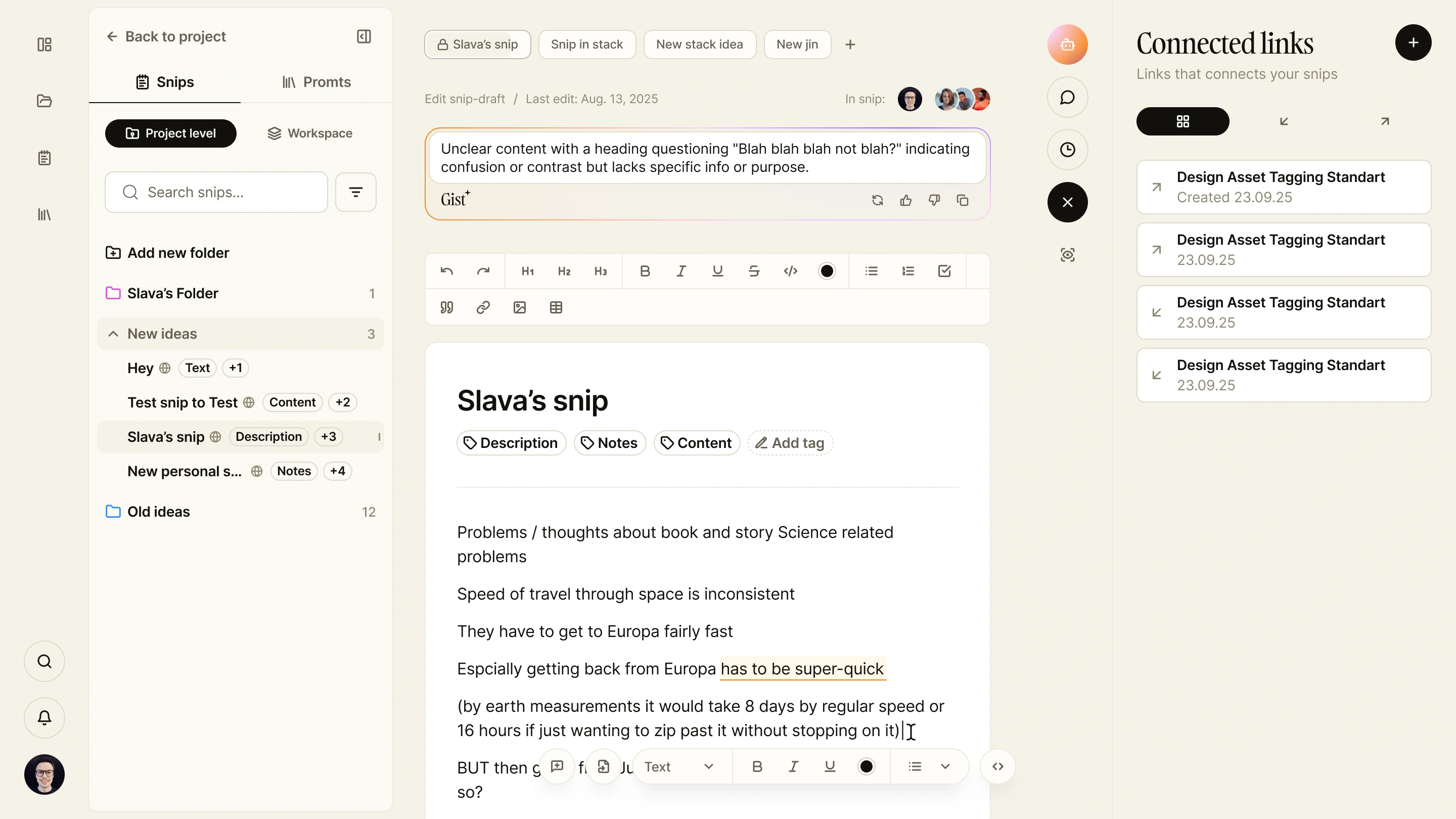
Incoming and outgoing links show how a snip connects to other knowledge. A dedicated panel lets people inspect those relationships and add new connections without leaving the document.
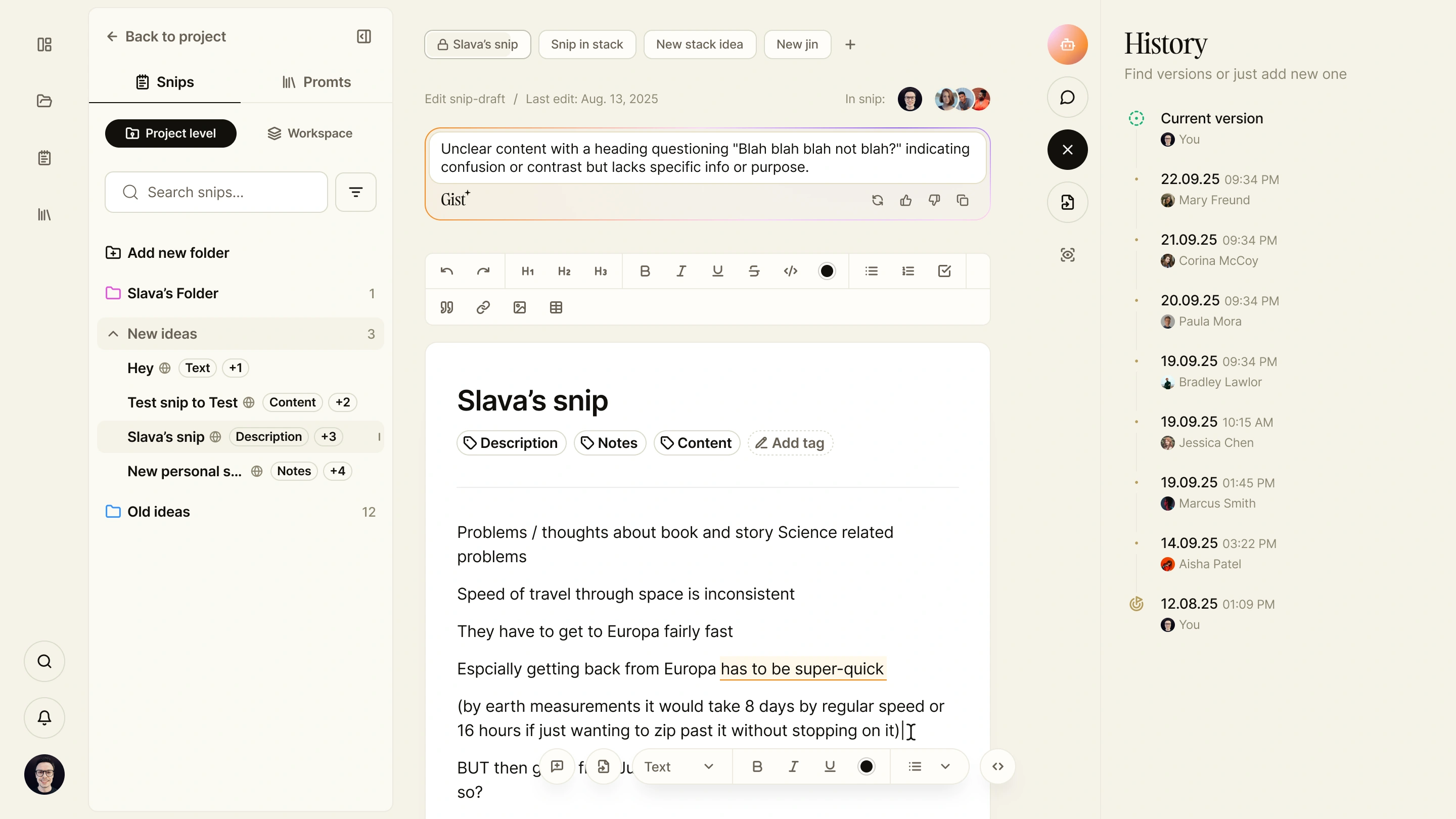
Version history provides another view of that context: what changed, when, and who changed it. People can review earlier versions and make one current again, keeping revision part of the editing workflow.
05 / Shared structure
Give individual notes
a place in the team’s work.
Projects organise snips, tasks, and members. Bases add another level of grouping, while card and list views support different ways of browsing the same material. Notes that require action can become tasks.
The home screen brings creation, recent work, search, and activity together. It gives people a starting point for a new idea and a direct route back into work already in progress.
Design outcome
One workspace for writing,
collaboration, and AI.
The design brings a rich‑text editor, linked knowledge, contextual AI, collaboration, and version control into a single product. Teams can develop an idea, discuss the details, and revisit the source material within the same working environment.
- Write
- Rich text and multiple open snips
- Connect
- Projects, links, comments & versions
- Develop
- Contextual AI and reusable prompts